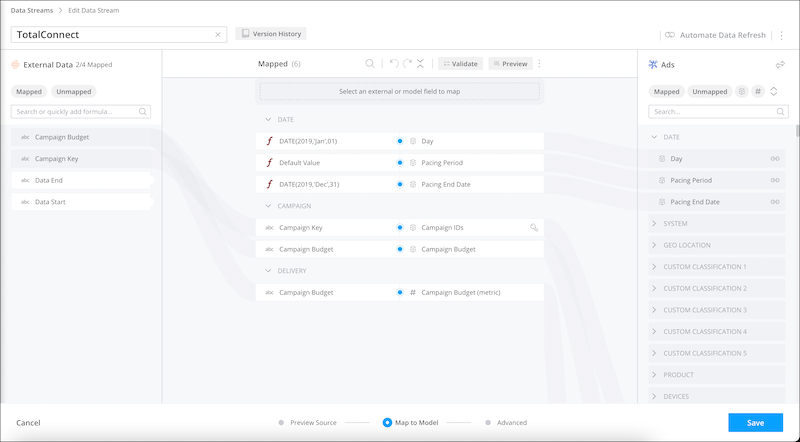
A pacing dimension divides data into shorter time periods to avoid data spikes. Map a
pacing dimension according to the way your data is brought in. For example, if your data stream
uses only the start date, map the Start Date to the Day dimension and then set the pacing
period.
Required Editions
| User Permissions Needed |
| To map pacing dimensions: |
Admins |
-
When creating or editing a data stream, select Map to Model.
-
Map the pacing dimensions based on how your data is brought in.
For example, if only the start date exists in the source file, map Start Date to the Day
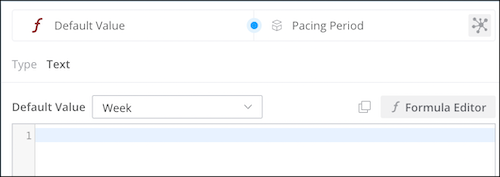
dimension. Then set the Pacing Period dimension to the time period defined in the source file.
For example, if the source file displays measurements by week, select Week.
If both the start and end dates are provided, map Start Date to the Day dimension and End
Date to the Pacing End Date dimension, respectively.