
Access and manage all of your installed solutions from the Installed Solutions page.
Required Editions
| User Permissions Needed | |
|---|---|
| To view installed solutions: | Admin, Power Users, or Viewers |
- Access the Marketplace main page from the Marketplace tab in Marketing Cloud Intelligence.
- Click Go to Installed Solutions.
-
View the Marketplace Installed Solutions page.
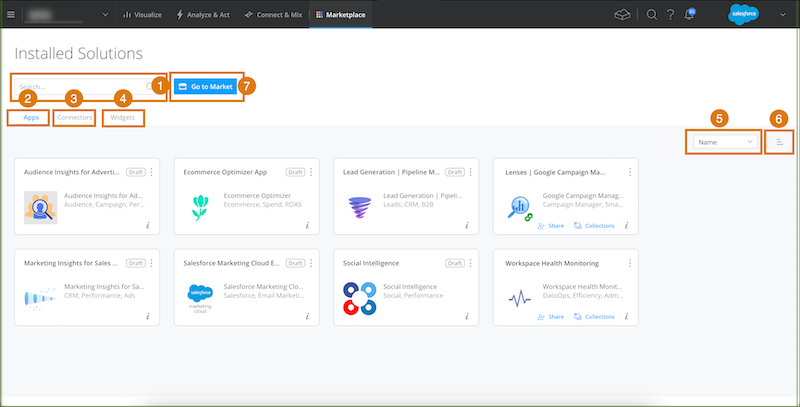
On the Installed Solutions page you can:
- Search for a solution by entering a keyword or name.
- View all of your installed apps.
- View all of your installed connectors (admin users only).
- View all of your installed custom widgets.
- Sort solutions by date installed or status.
- Organize solutions by either ascending or descending order.
- Go back to the Marketplace to search and install marketing intelligence solutions.