Use the Data Dictionary app to view a list of all the available fields in your
workspace. After the app has been created and shared with you, you can open it.
Required Editions
| User Permissions Needed |
| To run Marketplace apps: |
Admin, Power User, or Viewer |
-
In Marketing Cloud Intelligence, on the Marketplace tab, select
Apps.
-
Click Installed Solutions, and then select the Data
Dictionary app.
-
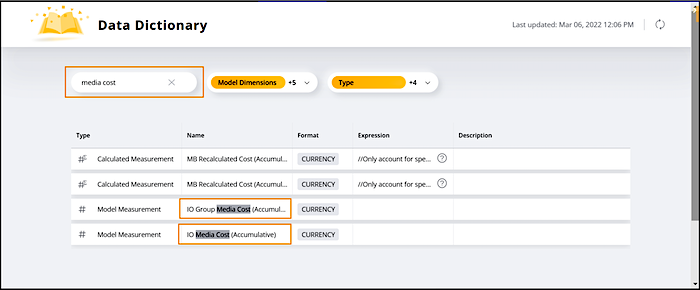
To search for a field, enter a term in the Search bar. For example,
only display media cost fields:
-
To hide or show specific field types, select or clear the checkboxes of the field types
that you want to display.