The Media Pacing app provides an overview of how well your media campaigns are pacing based on already defined data.
Required Editions
| User Permissions Needed | |
|---|---|
| To install Marketplace apps: | Admin |
In order to install this app, you must have the Media Transparency Center (MTC) enabled in your account. MTC is a premium feature. If you’re interested in purchasing MTC, contact your Marketing Cloud Intelligence Account Manager. No configuration is needed with this app. You only download it to your workspace.
- In Marketing Cloud Intelligence, on the Marketplace tab, select Apps.
-
Select the app and click Get it Now.
After the app installs it’s immediately ready to use, no further configuration is required.
Installing the Media Pacing app creates 33 underlying entities:
- 25 calculated measurements
- 4 calculated dimensions
- 4 highlighting rules
- 1 insights bot
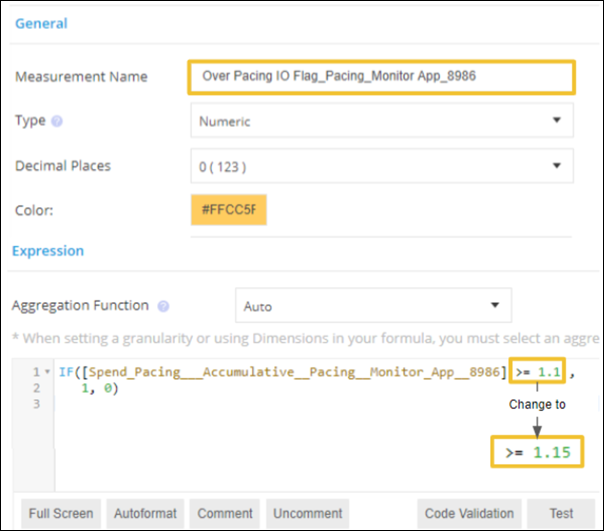
To customize the calculations and align them to your own business logic, modify the underlying entities. For example, if you want to only consider a result of the calculation to be 'over pacing’ when it’s greater or equal to 115%, edit the calculated measurement.