
You can add or remove data streams and change how your data is mapped.
Required Editions
| User Permissions Needed | |
|---|---|
| To modify Marketplace apps: | Admins |
- In Marketing Cloud Intelligence, on the Marketplace tab, select Apps.
- Click Installed Solutions, and select the Ecommerce Marketing Insights app.
- In the top right, click Settings.
- To add or remove a data stream, select a data stream and make your changes.
-
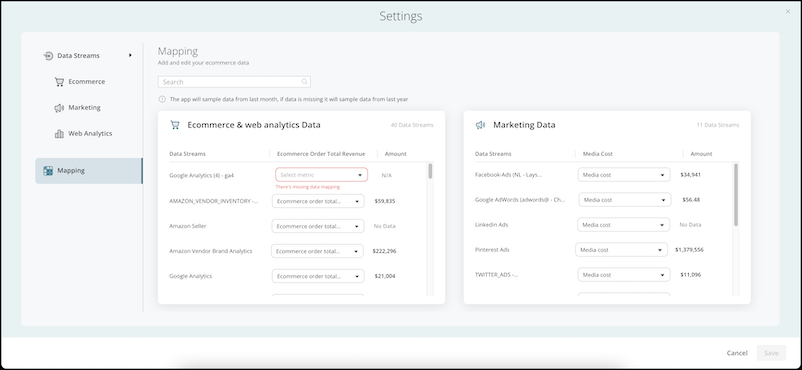
To change or add a metric, select Mapping.
The TotalOrderRevenue and MediaCost fields must be mapped. You can’t save without mapping them.
-
From the dropdown menu, select the metric.
Only currency-type metrics are available.
- Save your changes.