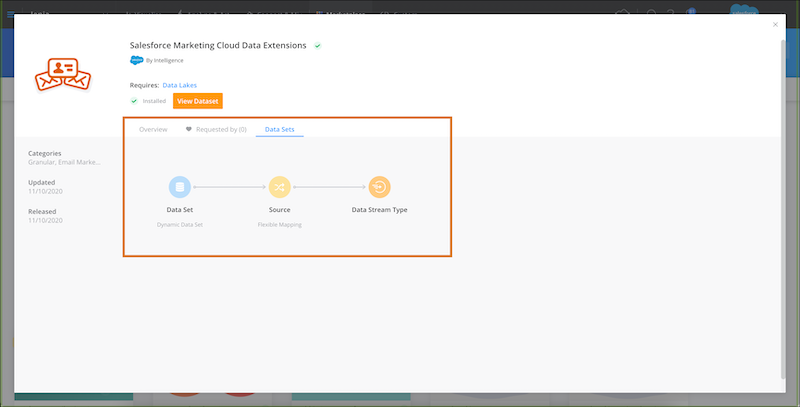
Explore the available connectors in the Marketplace to find the one that works best for your business needs. Here you can view the available connectors, get more information, and install a connector in your account.
Required Editions
| User Permissions Needed | |
|---|---|
| To view Marketplace connectors: | Admin, Power User, and Viewer |
- Access the Marketplace main page from the Marketplace tab in Intelligence.
-
Select the Connectors tab.
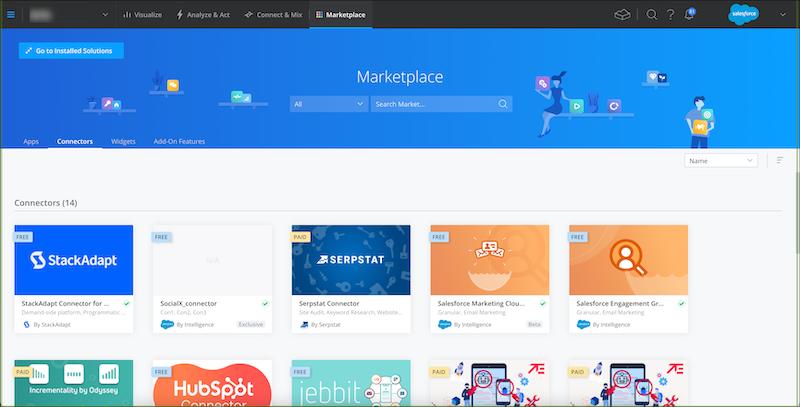 If the connector’s been installed a green checkmark appears next to the connector’s name.
 - To view more information about a connector, click a tile to expand.
-
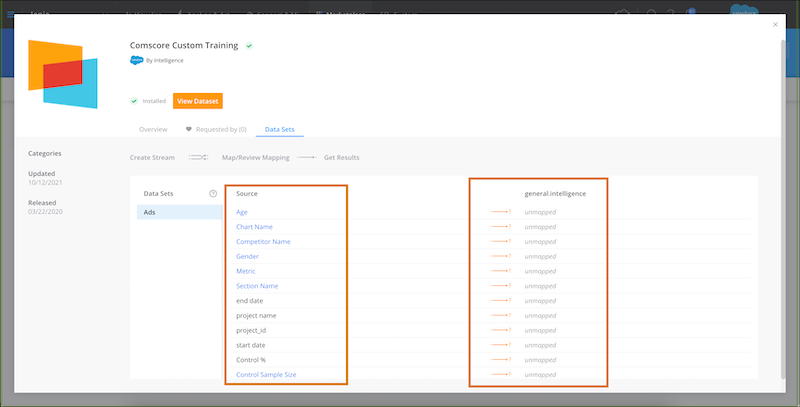
To see how the source fields are going to be mapped, click View
Dataset.
 Note
Note- Source—Shows the source fields that are found in the source data.
- Intelligence—Shows how the source fields are mapped to Intelligence fields.
- Blue fields indicate that you must add extended properties to the data stream in order
for the field to be available. If you hover over the blue field you can see the exact
properties. If you don’t add them, the field isn’t pulled. For more information, see Create a Data
Stream with an API Connector. Some of the connectors provide the mapping of the
source fields to Intelligence fields. Others allow the admin to control the mapping
dynamically. For example, the Granular Data Center connectors look like this when clicking
View Dataset: