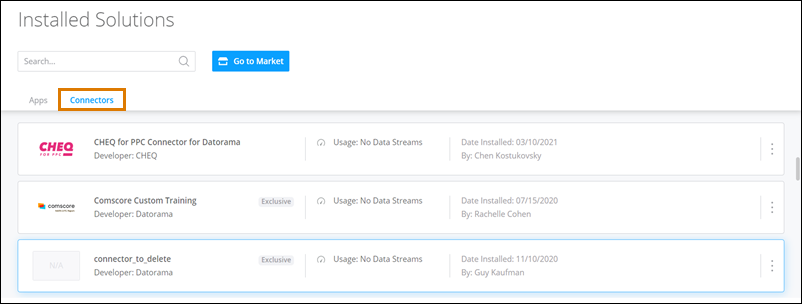
Install a connector to get a custom connector in your account. Connectors are installed
for the entire account, meaning all workspaces in the account can use and see the
connector.
Required Editions
| User Permissions Needed |
| To install Marketplace connectors: |
Admin |
Only admins can install connectors. If you’re a power user or viewer, you can send a request
to your admin and they install the connector for you.
-
Access the Marketplace main page from the Marketplace tab in
Intelligence.
-
Select the Connectors tab.
-
Select the connector you’re installing and click Get it Now.
-
If the connector was developed by a third-party vendor or partner, there are additional
steps to complete installation.
After the connector installs it appears in your
Installed
Solutions under the
Connectors tab.