Manage and Reset Multi-Factor Authentication From Your Profile in Marketing Cloud
Intelligence
You can reset MFA from your profile. After MFA is reset, you are prompted to select a
verification method the next time you log in.
Required Editions
| User Permissions Needed |
| To manage and reset MFA from your profile: |
All users |
-
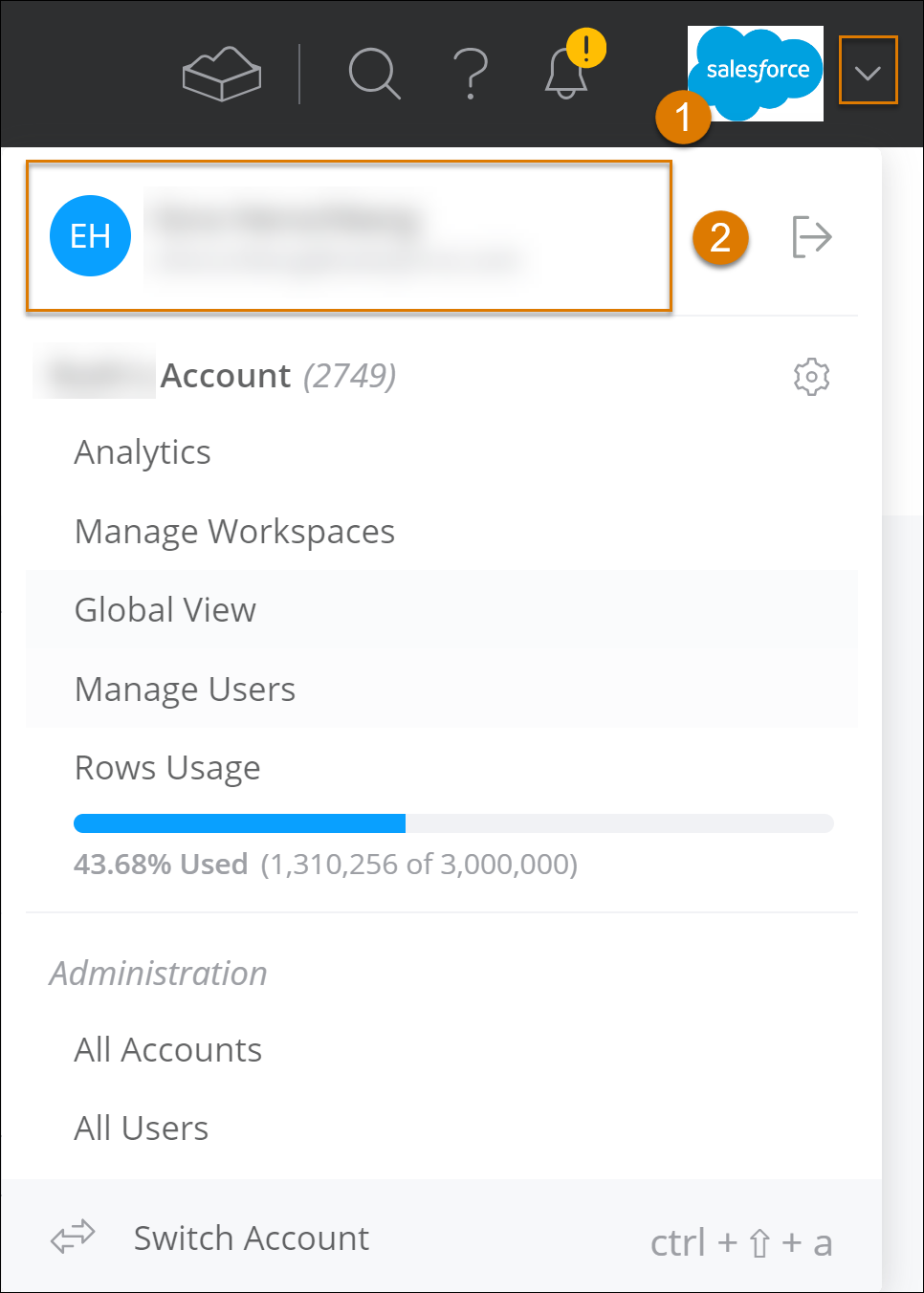
To the right of the navigation bar, click the dropdown arrow (1) and then on your
Intelligence user name (2) to access your profile.
-
To reset MFA click Reset, to edit your MFA settings click
Manage. For example, use Reset to change the verification method or add another
backup method.
-
Selecting Reset prompts you to register a verification method next
time you log in. It is recommended to set a backup recovery method.