
You can monitor total page views and average views per the selected time period in the Account Analytics dashboard. The information is dynamic and changes according to the filters you select.
| REQUIRED USER ROLE | |
|---|---|
| To view page activity | Admin |
- To the right of the navigation bar, click the dropdown arrow, and click the Account Settings gear icon.
- In the left menu, select Account Analytics.
- Click the Engagement tab.
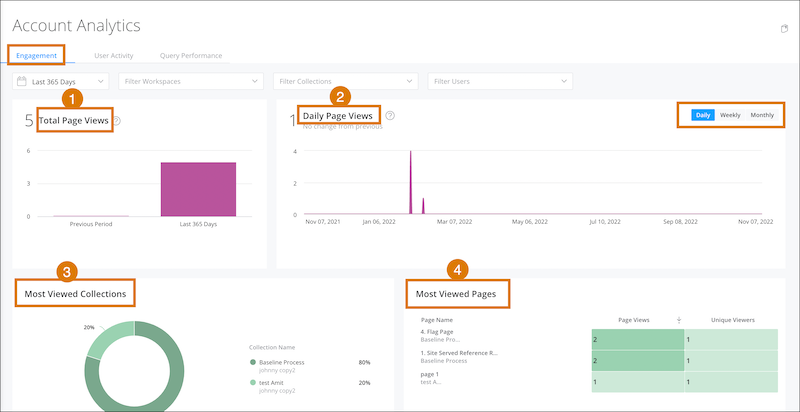
View the total number of page views [1] based on the time period, workspaces, and dashboards pages that you defined. Compare the total number of page views between time periods. For example, total page views during the past 90 days versus the 90 days before the selected period (previous period).
Switch between the average page views per day, week, or month [2].
View the percentage of page views each collection has overall [3], and the most popular pages [4]. Click a page name to view in a new tab.
