Re-run doesn’t initiate the retrieval of new data into the data stream, it reruns the
data stream’s existing data.
Required Editions
| User Permissions Needed |
| To edit a data stream: |
Admin |
-
Navigate to the Connect & Mix tab.
-
Expand Data Streams, and then expand Data Streams
List.
-
Select the data stream that you want to rerun, and from the top toolbar, click
Log.
-
Select the specific data stream job(s) that you want to re-run, and click
Re-run.
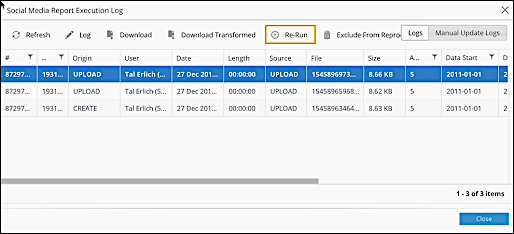
The data
stream job(s) are re-run, and the existing data contained in them is updated according to any
new changes made to it.
