View your mapped dimensions and measurements in the My Data Model
column by expanding the entities and drilling down to view the mapped dimensions and
measurements.
Required Editions
| User Permissions Needed |
| To use the data mapping visualizer: |
Admin |
-
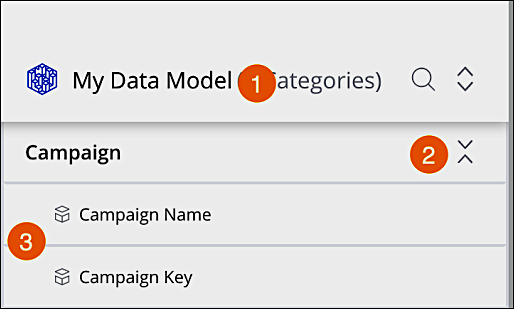
To expand an entity in the My Data Model column (1), click the expand icon (2) on the
entity you want to view.
-
You can view the dimensions and measurements the entity contains. For example, the Campaign
entity contains two dimensions, Campaign Name and Campaign Key (3).
-
To identify the source fields from all sources and data stream types mapped to a certain
Marketing Cloud Intelligence dimension, hover over the entity and click the square icon. This can be useful when
exploring the data model within a given workspace. While focusing on an entity, the display
freezes and the External Data column displays sources that are mapped
to the selected dimension.