To use the literal meaning of a Java RegEx metacharacter in a regular expression, you
must cancel the metacharacter, which is called escaping. You can escape a metacharacter in two
ways.
Required Editions
| User Permissions Needed |
| To escape special Java characters |
Admin |
-
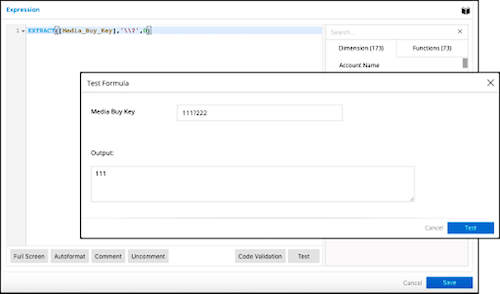
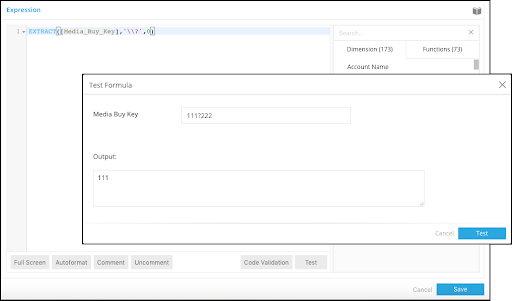
Add a double backslash (\\) before the metacharacter. In this example, the double backslash
is used to escape the ? metacharacter to reference it as a delimiter.
-
Enclose the metacharacter within \Q and \E. In this example,\Q and \E are used to escape
the | metacharacter to reference it as a delimiter.
-
These commonly used metacharacters require escaping to be referenced literally in a regex:
< ( [ { \ ^ - = $ ! | ] } ) ? * + . > _
-
These functions in Marketing Cloud Intelligence contain delimiters as part of their
syntax.
| SPLIT(text,delimiter) |
Use the SPLIT function where a ‘|’ character is the delimiter:
SPLIT([Media_Buy_Name],'\\Q|\\E')
|
| SELECT(sourceStr,pattern) |
Use the SELECT function where a ‘>’ character is the delimiter:
SELECT([Media_Buy_Name],'\\>(.*?)E')
|