
You can query a shared Granular Data Center and pull views and tables from other Granular Data Centers.
Required Editions
| User Permissions Needed | |
|---|---|
| To query shared Granular Data Centers: | Admin |
- From the Connect & Mix tab, select Granular Data Center, and then Query Granular Data.
-
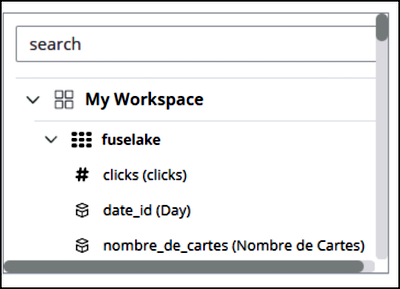
From the list on the right side, click a workspace to see its tables and fields.
-
Use SQL to query the source Granular Data Center, for example, pull the profile attributes
from all your workspaces.
To query a shared Granular Data Center, the references to a table must have the relevant schema.
When you double-click the table name, this detail is automatically populated for you in the query code.
This example shows a query for profile attributes (city, language, state, and postal code) that pulls data from the shared workspace (schema_2432096.profile_attributes).
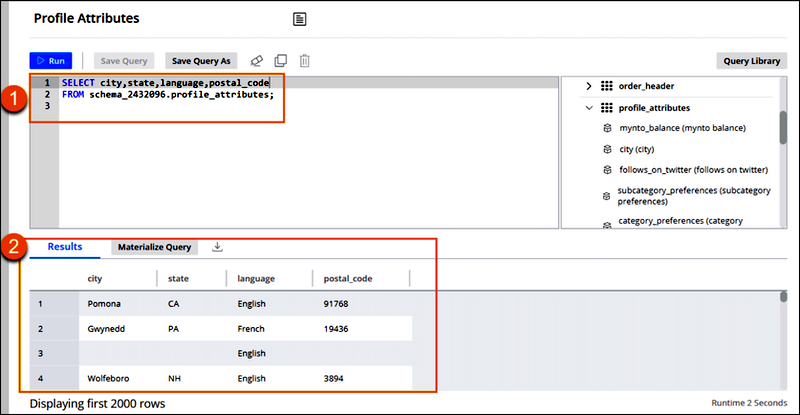
The Results tab (2) shows all the relevant data that was pulled. The first 5,000 rows appear, and the results are extracted using a materialized query or export.