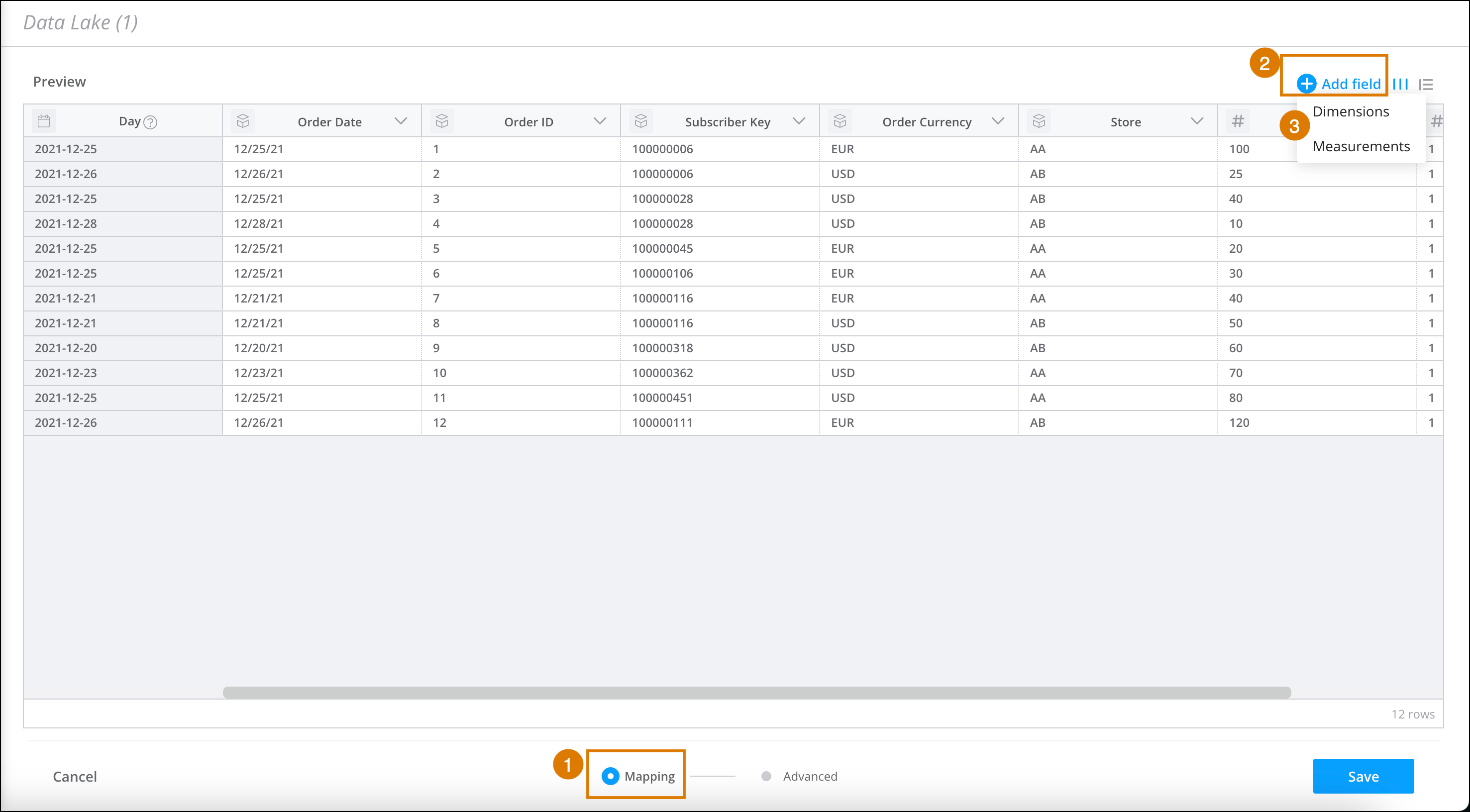
When you add more dimensions and measurements to the table, you add more columns. All
column names appear as display names in the table. The display names are also used to set the
system names, which are formatted using SQL standards.
Required Editions
| User Permissions Needed |
| To add a field to the Granular Data Center table: |
Admin |
-
From the Connect & Mix tab, select Granular Data
Center, and then Granular Data Center Data Streams.
-
Create a Granular Data Center data stream, or edit an existing one.
-
At the bottom of the Granular Data Center page, click
Mapping (1).
-
In the table, click Add Field (2).
-
Select Dimension or Measurement (3).
-
Enter the column name.
-
Create or edit a formula. For more information, see Use the Formula Editor to Map.
-
Save your work.