
The Dimension Explorer shows the values of all the dimensions in the platform and the origin of these values. Use the Dimension Explorer when you need to troubleshoot dimension issues so you can get to the root of the problem.
When you discover an issue, you can go to the Dimension Explorer. For example, when looking at a dashboard you notice the site name is wrong.
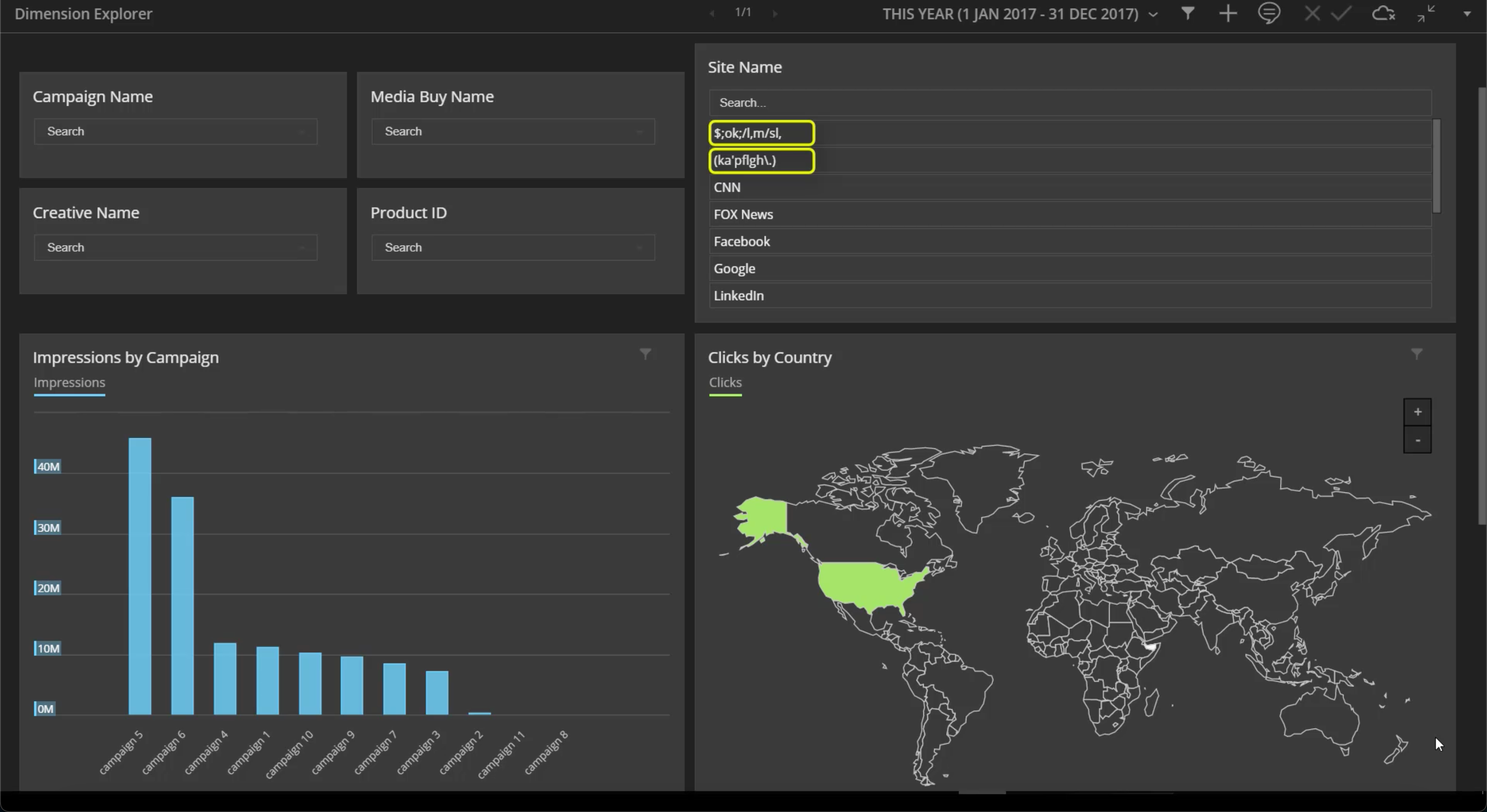
By going to the Dimension Explorer you can find the dimension with the incorrect value and discover its origin. You can then go to the data stream where the error occurred, fix the site name (usually this is due to a wrong formula) and then reprocess the data. This can take time and sometimes the issue occurs in more than one data stream. You can also manually update the site name in the Dimension Explorer and this fixes the issue instantly.
- Use the Dimension Explorer to Explore and Fix Data Issues
When you encounter issues with dimensions, for example an incorrect value, use the Dimension Explorer to find out what happened. Search for the dimension, discover where the issue stems from and then fix the issue instantly.