Before you can pull in data from Data 360 into Marketing Cloud Intelligence, authenticate access between the apps.
If you’ve already installed the Data 360 connector, uninstall it before setting up access.
If you encounter issues or have questions, contact Salesforce Customer Support.
- Log in to Data 360 as an admin user.
- Select Setup, and then click OAuth custom scopes.
- Create a custom scope, and name it cdpquery.
- Create another custom scope, and name it cdpprofile.
-
In your web browser, open a new tab and paste the following link and run it.
We recommend using Chrome for this flow.https://login.salesforce.com/services/oauth2/authorize?response_type=token&client_id=3MVG9I9urWjeUW07NtG9.RZ69S667zjmUZ9rVwRmD5phDL6_IqWEKefBKjIqyehX2cccREDTaF3DqkuxsH8pp&redirect_uri=http://localhost
-
Log in if prompted, and then click Allow.
Ignore the message notifying you that the site can’t be reached.
- Close the tab, and open the Salesforce Setup page.
- Search for OAuth and OpenID Connect Settings.
-
Turn on the following settings.
- Allow OAuth Username-Password Flows
- Allow OAuth User-Agent Flows
- Allow Authorization Code and Credentials Flows
-
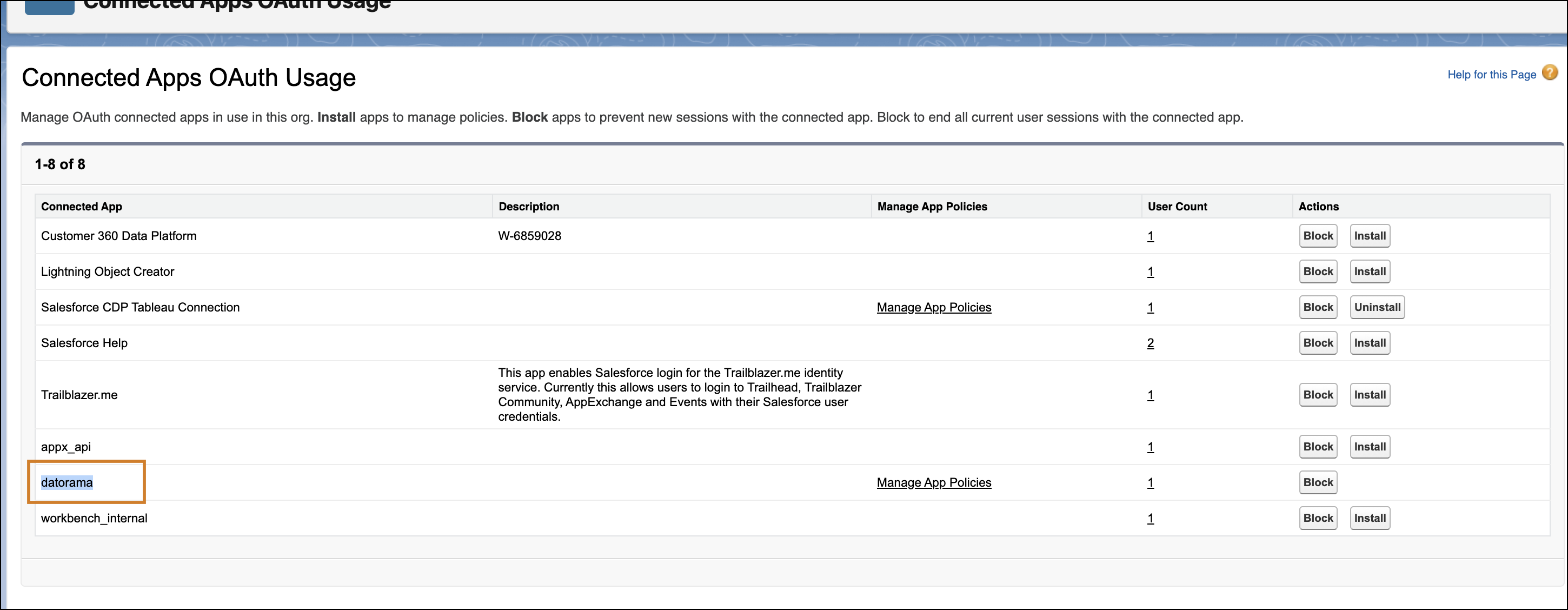
Search for and open Connected Apps OAuth Usage.
The Datorama connected app opens. Datorama is now called Marketing Cloud Intelligence, but in this flow the app appears as Datorama.
-
To install the app, click Install and follow the guided steps.
Complete the installation before continuing. If the installation fails, a previously connected Datorama app might exist in your org. To fix this, delete the existing connected app and repeat the authorization and installation steps.
- Return to the Connected Apps OAuth Usage page, click Edit Policies, and change IP Relaxation to Relax IP Restrictions.
- Click Manage OAuth Custom Scope and ensure that both cdpprofile and cdpquery are selected.
-
Click Save.
You can now create a data stream with Data 360 using either TotalConnect or the Marketing Cloud Customer Data connector.