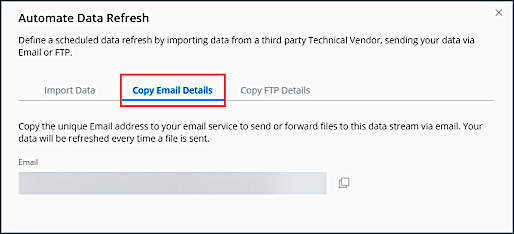
This method allows you to send files via email to the data stream. Every data stream has
its own unique email address and can accept attachments or files downloaded through links.
Required Editions
| User Permissions Needed |
| To edit a data stream: |
Admin |
You typically use this method when a data stream is updated regularly. You can set up the
automatic data stream update when creating a new data stream or within an existing data stream.
Available for TotalConnect data streams.
-
Navigate to the Connect & Mix tab.
-
Expand Data Streams, and then expand Data Streams
List.
-
Select the data stream that you want to modify and click the pencil edit icon.
-
Click the pencil edit icon next toAutomate Data Refresh.
-
Click Copy Email Details, and then click the copy icon next to the
Email details.
-
To forward a file to a TotalConnect data stream via email, add it as an attachment to the
email, or include a direct download link in the email’s body. If you’re using a link, make sure
that it isn’t login-protected and that it allows for non-restricted downloads of the file
you’re uploading.