
Use the Marketing Cloud Intelligence Query API Builder to perform advanced queries on your existing data.
Required Editions
| User Permissions Needed | |
|---|---|
| To use the Query API Builder: | Admin |
- From the Analyze & Act tab, click Query API Builder.
- Select the workspace you’re including in the query.
- Set a date range for the query.
-
Select the dimensions and measurements you’re including in the query.
 Note If you add two dimensions with the same display name, the query can’t identify which data stream type to look in. It’s recommended you provide unique names when naming the query.
 - To filter by a specific dimension or measurement, click Open Filter.
-
Click Generate Query.
Here’s an example of a generated query.
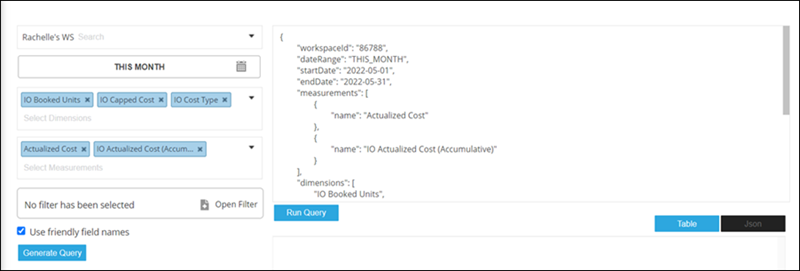
- To test the code, click Run Query.
- Copy the query and use it in your code when creating API calls.