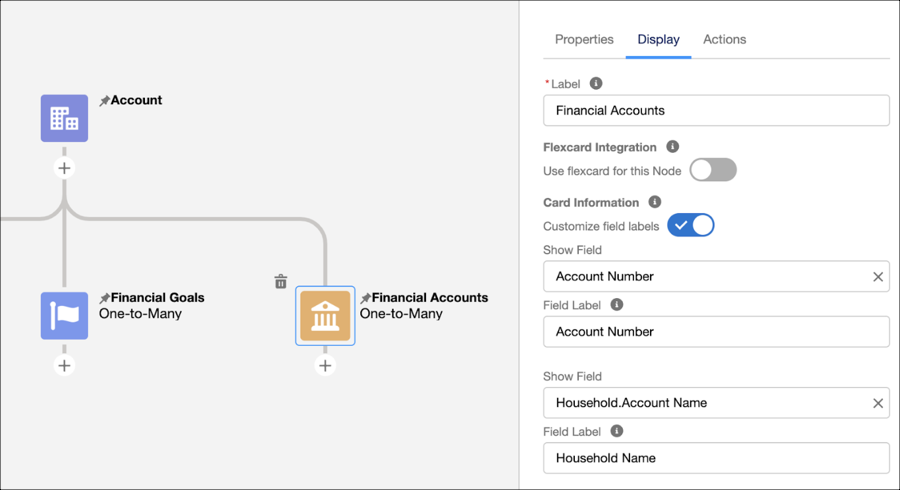
On an ARC Graph node, show fields from objects that share a lookup relationship to the node object. Find the objects that have a lookup relationship to the node object on the Display tab in the show field picklist.
Required Editions
| View supported product editions. |
| User Permissions Needed | |
|---|---|
| To configure ARC graphs: | View permissions information. |
Showing fields from multiple objects on one node gives your users more information about their clients in one, unified view.
- From Setup, in the Quick Find box, enter Actionable Relationship Center, and then select Actionable Relationship Center.
- Click New Relationship Graph or edit an existing graph.
- Create a node or select an existing node.
-
Click the Display tab.
- Under Card Information, for Show Field, select a related object.
- Configure the ARC graph and save your changes.

Example In Financial Services, you can create an ARC graph to show your users important details
about a person, using the person account object. Then you can add a node that shows the financial
accounts for the person. This graph can help your users know to which household each financial
account is related. On the Financial Account node, select Household object, and then select
Account Name.