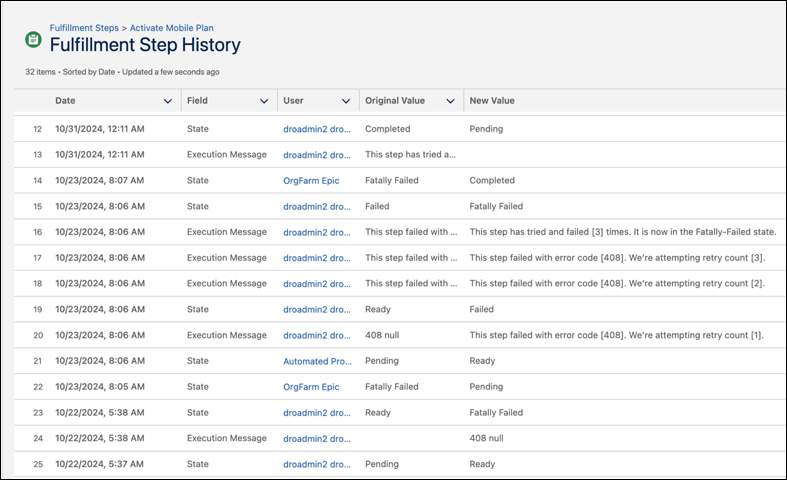
Monitor the changes to a fulfillment step, such as status modifications, on its detail
page by using the Fulfillment Step History related list.
Required Editions
| Available in: Enterprise, Unlimited, and Developer
Editions |
| User Permissions Needed |
| To view the fulfillment step history: |
Fulfillment Designer
OR
DRO Admin User
|
Whenever a user changes a standard or custom field, the system logs an entry in the
Fulfillment Step History related list, irrespective of the order's status. Each entry captures
the date and time of the change, the affected field, the user who made the change, and the
specific details of the change.
- From the App Launcher, find and select Fulfillment Steps.
- Select a step to view its details and history.