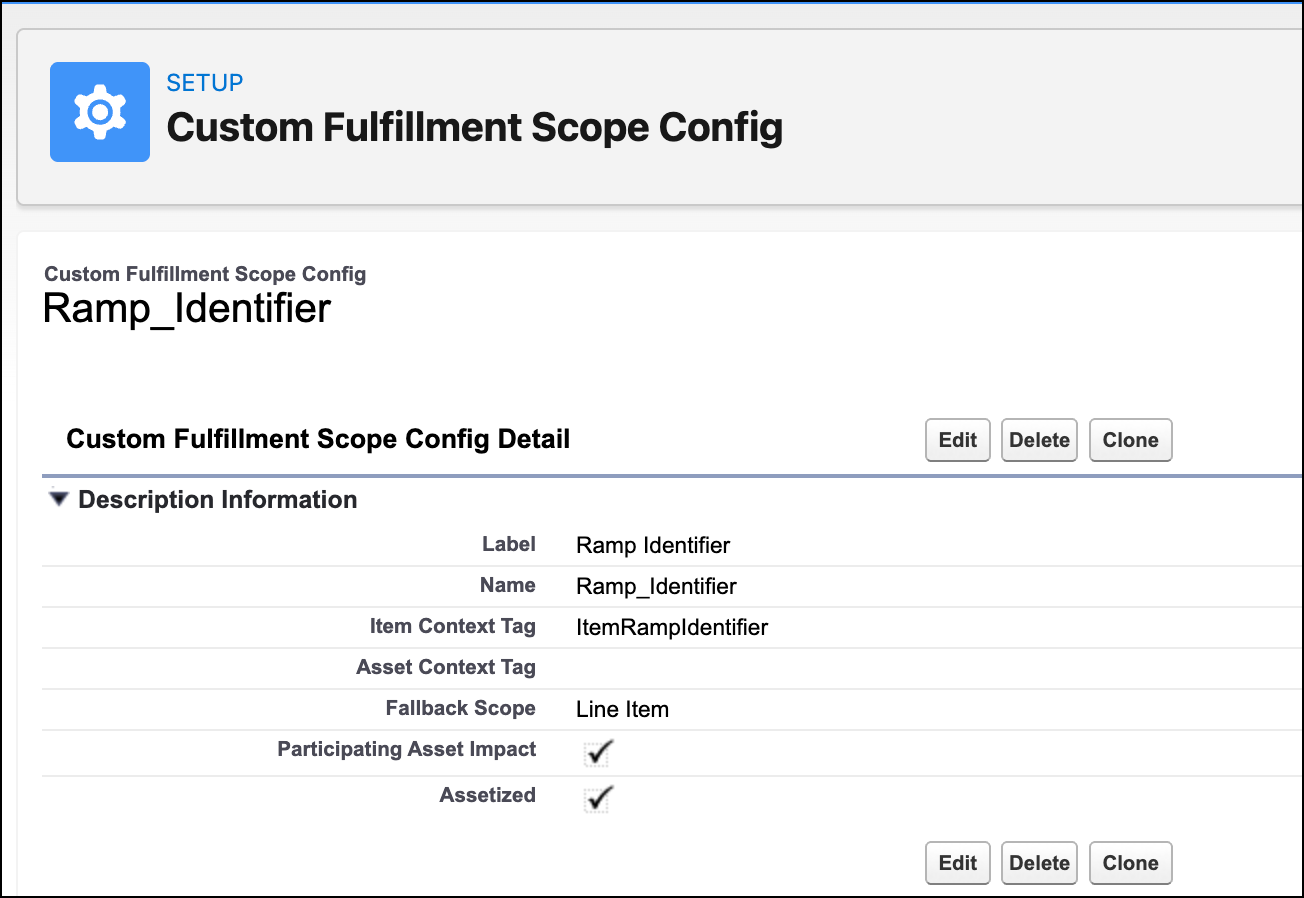
Custom scopes use a configurable field in the line item or product object as the scope identifier. This identifier defines how fulfillment line items and steps are instantiated. During decomposition and orchestration, custom scopes group fulfillment order line items and steps according to the scope identifier.
Required Editions
| Available in: Enterprise, Unlimited, and Developer Editions |
| User Permissions Needed | |
|---|---|
| To create custom fulfillment scope configuration: |
DRO Admin User |
To create a custom scope, define a custom scope configuration with a context tag mapped to a scope identifier field in the order product or a sales transaction item. Configure the custom scope as the custom decomposition scope in the technical product and the custom fulfillment scope in the fulfillment step definition. Update the scope identifier field in the configured order line item and order product. During decomposition, fulfillment order line items are grouped per scope identifier and during orchestration, fulfillment steps are grouped per scope identifier.
- From Setup, in the Quick Find box, enter Dynamic Revenue Orchestrator Settings and select it.
- Click Custom Fulfillment Scope Config.
- Click New Custom Fulfillment Scope Config.
- Enter a label for the Custom Fulfillment Scope Config.
-
Enter the item context tag.
This tag in the Sales Transaction Context Definition points to the field in Order Product or Fulfillment Order Line Item that specifies the custom scope identifier. Where you define and map the tag depends on how you use it.
- Decomposition
- Define the tag in the Context Node for Sales Transaction Item, and map it to the custom scope identifier field in Order Product.
- Plan Generation
- Define the tag in the Context Node for Sales Transaction Item, the Context Node for Fulfillment Transaction Item, or both. Map the tag in the Context Node for Sales Transaction Item to the custom scope identifier field in Order Product, and map the tag in the Context Node for Fulfillment Transaction Item to the custom scope identifier field in Fulfillment Order Line Item.
RestrictionThe item context tag must use the
Stringdata type. -
Select the Participating Asset Impact checkbox if you want
technical assets related to sales transactions to affect the decomposed line item
actions.
When the Participating Asset Impact checkbox is selected, adding a product with the same scope identifier as an existing asset to the order will amend the existing asset. If the Participating Asset Impact checkbox isn't selected, adding any products to the order will create a new fulfillment asset, regardless of the scope identifier.
- Select the Assetized checkbox to assetize the decomposed line items.
- Save your work.