Select a node and view the details of other nodes that currently reference elements of
it, such as node sources and mapped fields. These nodes that reference the selected node are
known as reference nodes. If you make changes to a node, it’s helpful to know its reference
nodes to anticipate any changes that need to be made to them, too.
Required Editions
-
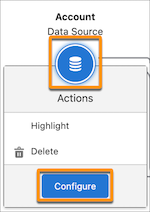
In a definition, on the node canvas, click the node that you want to see the reference
nodes of, then select Configure.
-
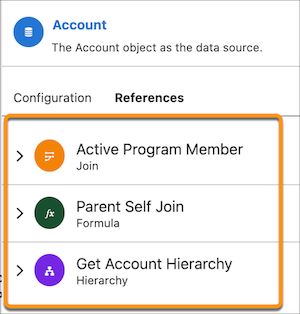
Click the References tab.
All nodes that use the selected node as a source are shown in the References tab.
-
To expand a reference node’s details, click the node icon or arrow.
The reference node details open.
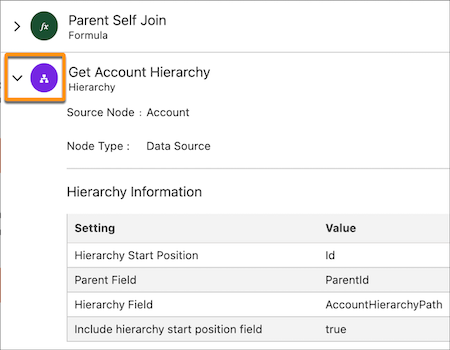
The details show information about how the node is referencing the selected node (for
example, what fields the reference node is using from the selected node).
- Why Does a Node Indicate That Removed Fields Are Referenced in a Node after the References Are Removed?
When you remove fields from a node, ensure that the removed fields aren't referenced by any other node in the definition. The node in which you've already deleted references to the removed fields is used as a source by another node in which the removed fields are still referenced. To resolve this issue, go to the node in which you've deleted references to the removed fields. Next, find the nodes that use the current node as source and reference the removed field. Go to the nodes that still reference the removed fields, and then delete the references.