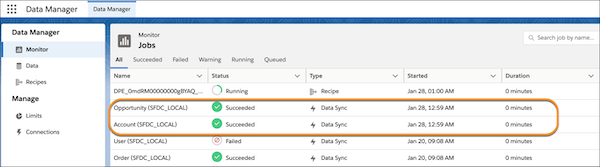
When you run a definition, the data sync jobs run to extract data from each Salesforce
object that’s selected as a data source. For example, if the definition pulls data from the
Opportunity and Account objects, a separate data sync appears for each object. After the data
syncs are complete, the definition runs. To view the status of data syncs and Data Processing
Engine definitions, use the Monitor tab on Data Manager.
Required Editions
-
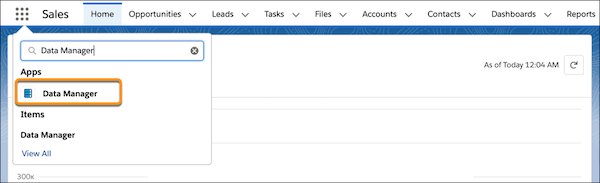
From the App Launcher, find and select Data Manager, and then
click Data Manager.
-
Monitor the data sync jobs for each Salesforce object that’s selected as a data source.
-
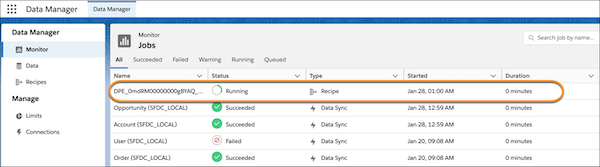
Monitor the status of the Data Processing Engine definition.
The Data Processing Engine definition runs after the data sync jobs complete. The
Monitor tab shows the definition's run as a Recipe job type. When the run completes, the
recipe is removed from the Monitor tab.
To track the status and details of a definition's run, go to Monitor Workflow
Services.