
Learn About Issues in Your Data Processing Engine Definition by Using CRM Analytics (CRMA) Recipe
Use the Data Manager to determine why a definition isn’t writing back results.The definition's design or the data available in the org can cause the issues.
Required Editions
| View supported editions. |
| User Permissions Needed | |
|---|---|
| To access Data Manager: | View permissions information. |
After the data is synced from your definition's source objects, a recipe is created to process the records.

- From the App Launcher, find and select Data Manager.
-
Switch to the Recipes tab.
The recipes for Data Processing Engine definition runs are named by using this convention: DPE_{ID of the batch job used to run the definition}.
- Open the recipe of the definition that you want to investigate.
-
On the confirmation window, click Yes, Fix It.
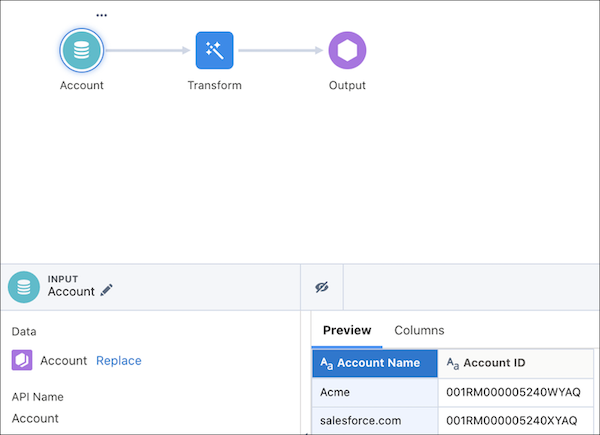
- Review the records that each node processed. This review can help you determine whether the issue is due to your definition’s design or the org’s data.

The oldest Account record in an org was created on March 17, 2020. A filter node in the definition is trying to filter all Account records created before 2019. When the definition is run, no Account records are filtered because none of them match the filter criteria. So, the user looks at the filter node in the recipe. The user recognizes that results aren’t written back because the filter node doesn’t make any Account record available for processing in subsequent nodes.