Add a custom node to a Data Processing Engine definition to run domain-specific logic tied to the definition's process type.
Required Editions
| View supported editions. |
| User Permissions Needed | |
|---|---|
| To add a custom node: | View permissions information. |
You can add a custom node to a Data Processing Engine definition only when:
- A custom node is shipped with your consuming cloud for a specific process type.
- The definition is created with the associated process type.
-
On the Nodes tab of the definition builder, select Custom Nodes,
and then select the custom node.
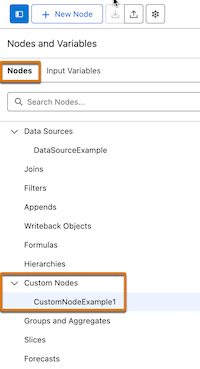
- Select Custom as the node type and enter the required details.
-
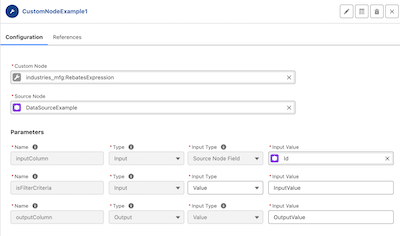
Select a custom node, and then select the source node to pass the data to the
node.
The parameters for a custom node are automatically filled.
-
If necessary, select an input type, and then select or enter the input values for the
required parameters.