Record Alerts provide notifications about record changes that require your immediate
attention. For example, an alert for checking in with a member during their upcoming benefit
enrollment window.
Required Editions
|
Available in: Lightning Experience
Available in: Enterprise and Unlimited Editions with Health
Cloud
|
| User Permissions Needed |
| To use the Contact Center for Health Cloud |
Manage Contact Center for Health Cloud |
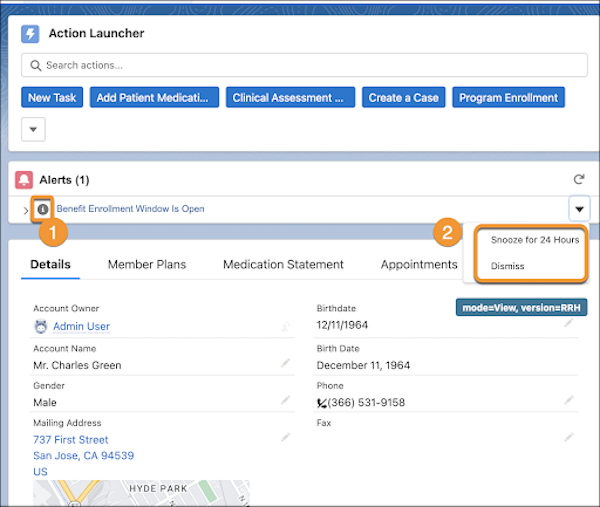
Record alerts appear as warnings, errors, or info, to denote the nature of the alerts (1).
Click an alert in the Contact Center to open it and make changes or snooze the alert (2). You
can also snooze and dismiss an alert directly from the app.
-
In the App Launcher, find and select Contact Center.
-
Go to Alerts and review the notifications.
-
Click the Action button.
-
Snooze the alert for 24 hours or dismiss it.