
If an attribute value was updated in fulfillment (for example, by an external integrator), and then the relevant order is superseded by a supplemental order, there might be a conflict between the updated value and the one in the supplemental order.
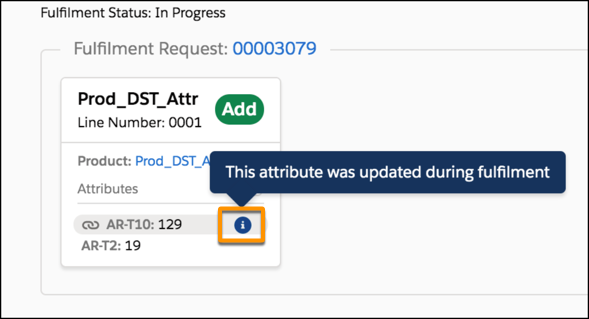
By default, Order management uses the value that was updated during fulfillment. When this happens, the Decomposition View of the supplemental order shows an indication that the value was updated.
You can override this default behavior, and set an attribute value to be overridden by a supplemental order, even if it was previously changed during fulfillment. Do so from the Fulfillment Behavior field on the product page. See Allow a Supplemental Order to Override a Change to an Attribute