You can configure Order Management to send a case to a Salesforce queue when an order is in jeopardy of missing its requested completion date. Configure the JeopardyNotificationQueueName custom setting to point to that queue.
Before You Begin
-
Create the queue that the custom setting points to: Create a Queue for Items in a Jeopardy State
This custom setting is only valid in Order Management release Summer '21 and later.
To configure the JeopardyNotificationQueueName custom setting, follow these steps:
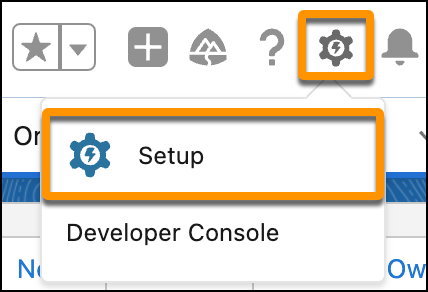
- In the Lightning environment, click the Settings gear icon, then click Setup.
- In the Quick Find field, type Custom Settings, then click Custom Settings.
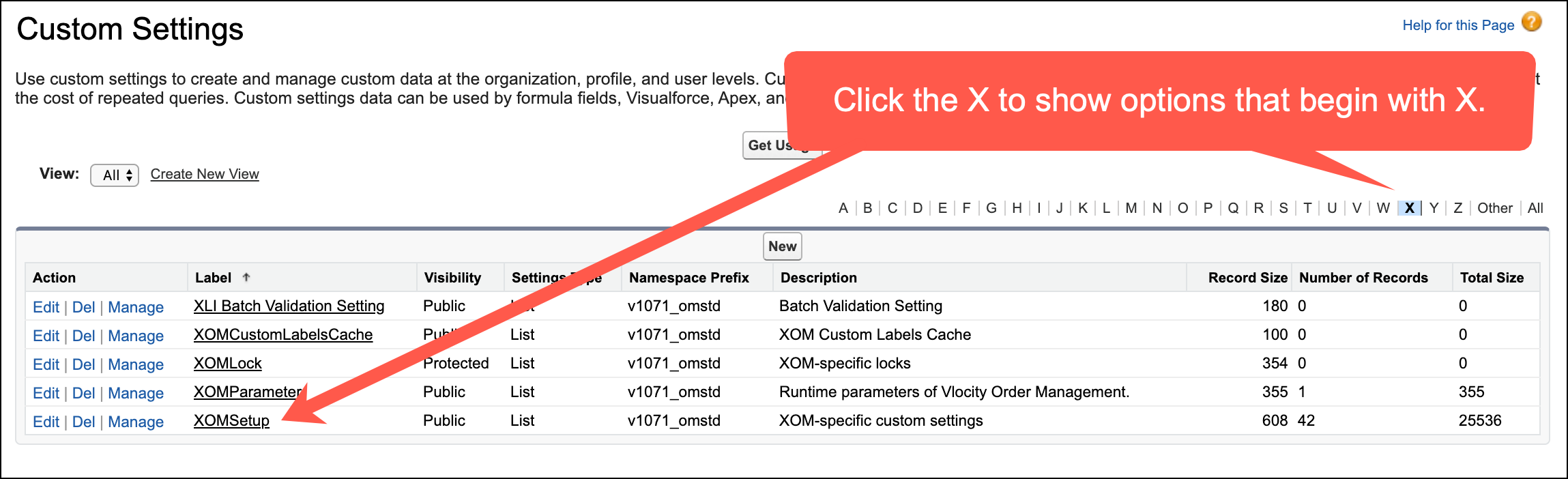
- In the Custom Settings page, find XOMSetup and click the Manage link next to it. If you don't see XOMSetup, then click the X from among the letters at the top of the screen to filter out most of the options.
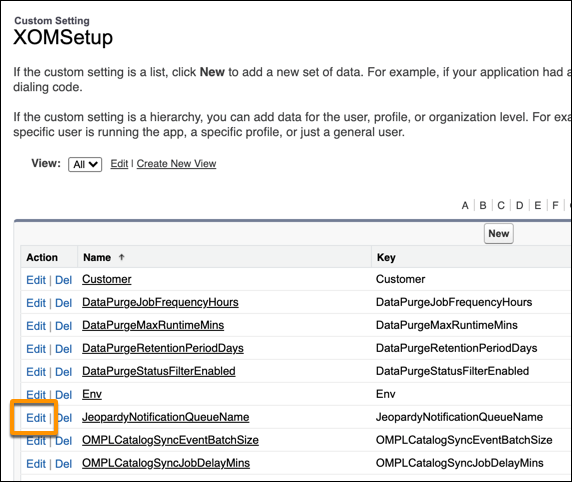
- In the Action column, click Edit next to JeopardyNotificationQueueName.
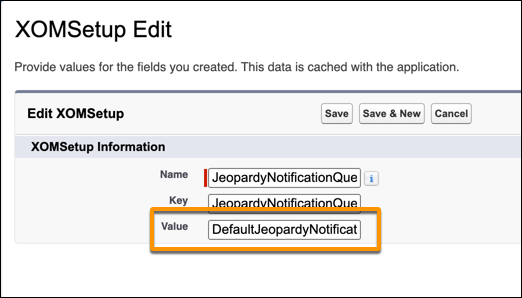
- Point to the queue that you created earlier: Paste the following string into the Value field, then click Save: DefaultJeopardyNotificationQueue
 Note
NoteIf you named the queue something different from DefaultJeopardyNotificationQueue, then you should enter the name you used, instead of the string given above. See Create a Queue for Items in a Jeopardy State
- Make sure that both the Name and Key fields have the following string: JeopardyNotificationQueueName