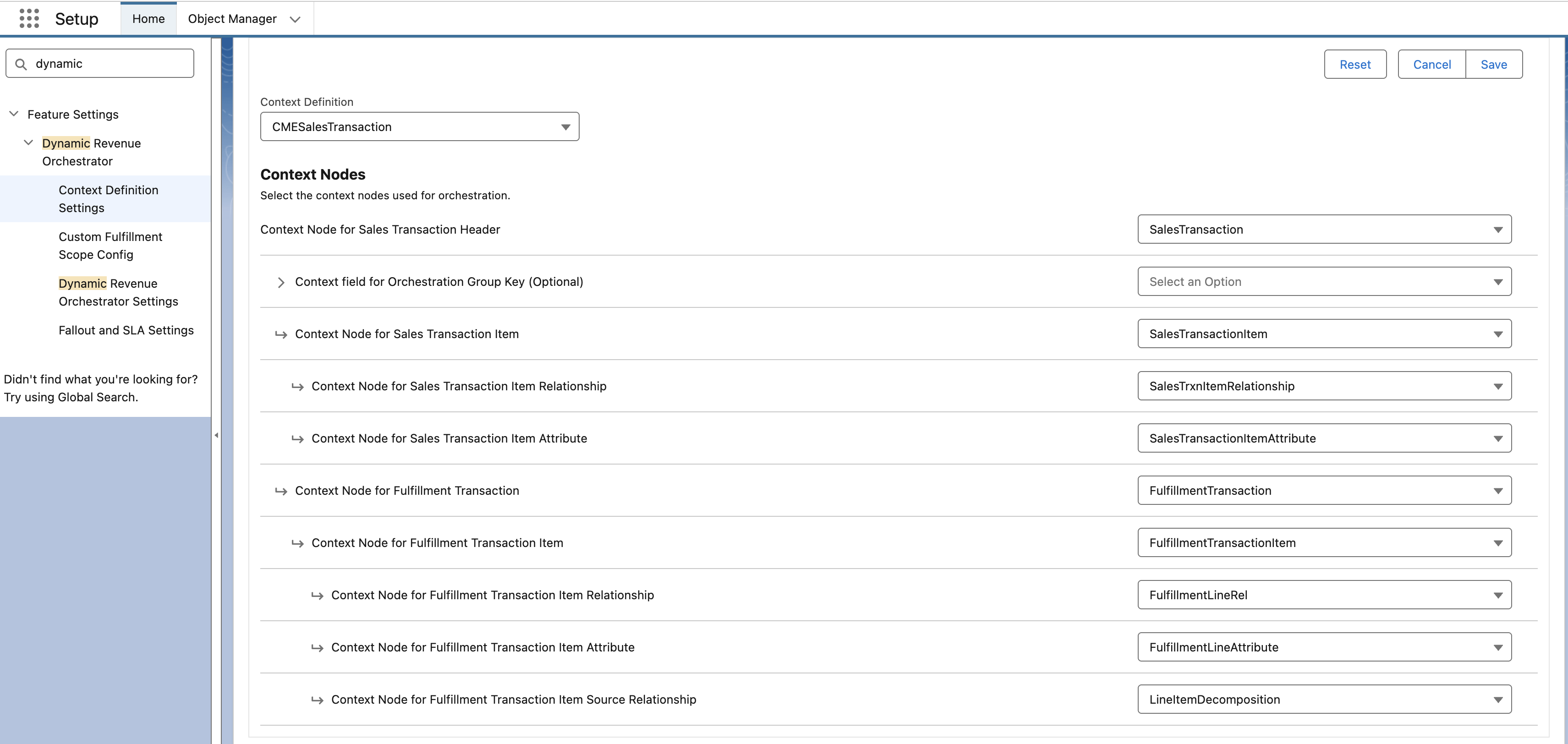
A one-time job within Industries CPQ extends the standard sales transaction context to create a custom context definition specifically for DRO.
Required Editions
| Available in: Lightning Experience |
| Available in: Enterprise, Unlimited, and Developer Edition. |
| User Permissions Needed | |
|---|---|
| Set of permissions to run the Context Definition Job: | RevenueLifecycleManagementAddOn |

Note
In CME Interoperability orgs, when you map the CMESalesTransaction context in the DRO Settings page, you need to select two nodes: Fulfillment Asset State Period and Fulfillment Asset State Period Attribute.
Before you begin, make sure that these conditions are true and all necessary licenses are active in the org. Ensure that the standard Sales Transaction Context is available.
The steps are to extend the standard sales transaction.
-
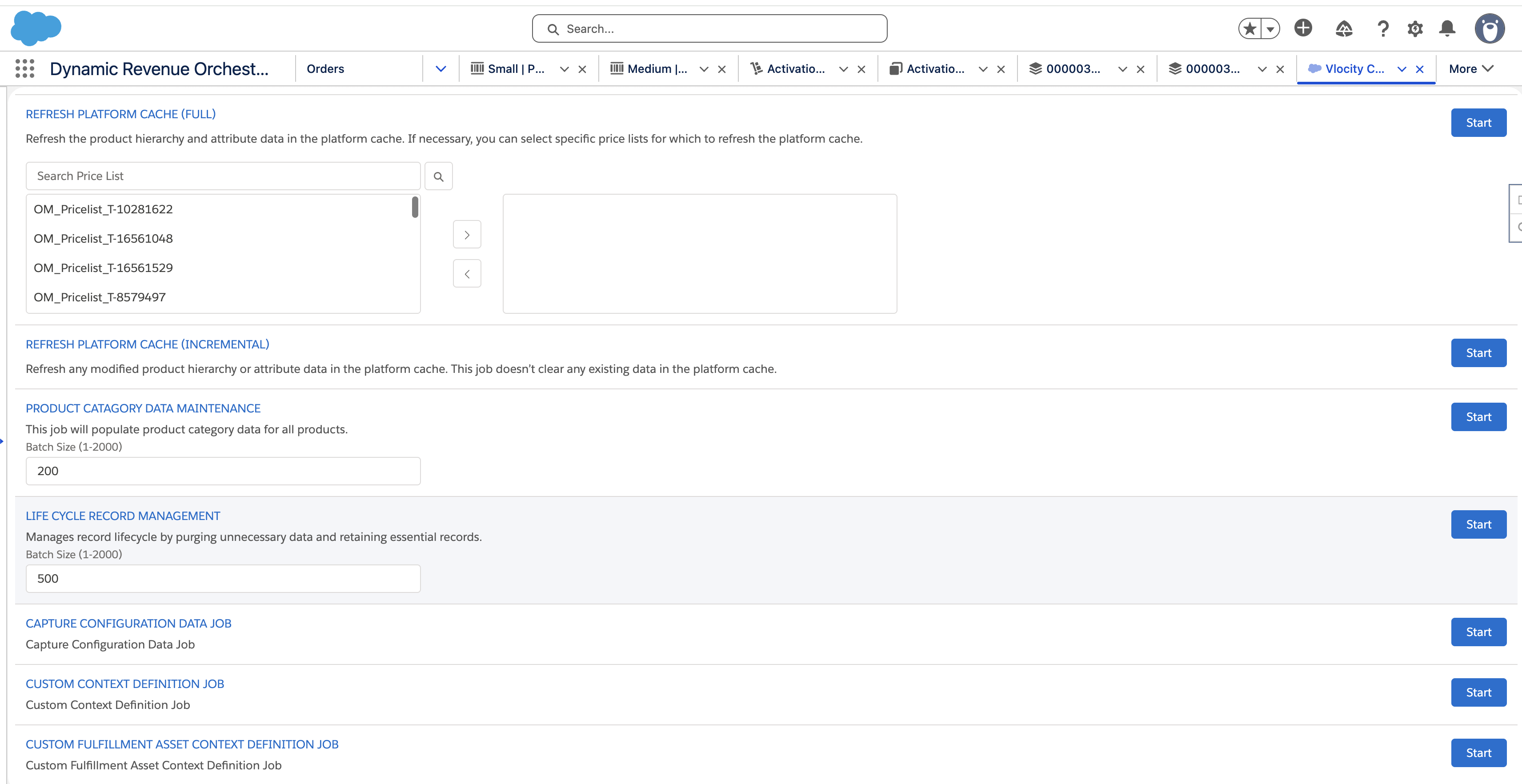
When you have the licenses and the CME-DRO setting is available, you can see these
jobs.
-
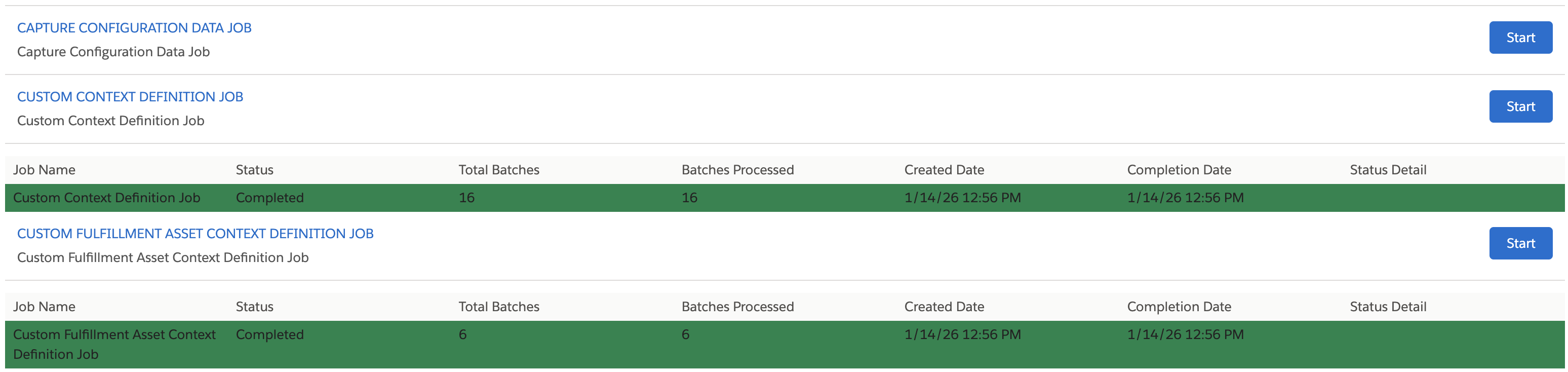
Proceed to enable these jobs:
- Capture Configuration Data Job
- Custom Context Definition Job
-
Custom Fulfillment Asset Context Definition
- From the Setup, search and find Context Service, and select Context Definition.
- On this page, open the Context Definition Details.
-
Ensure the CMESalesTransaction and context definition is available as shown here:
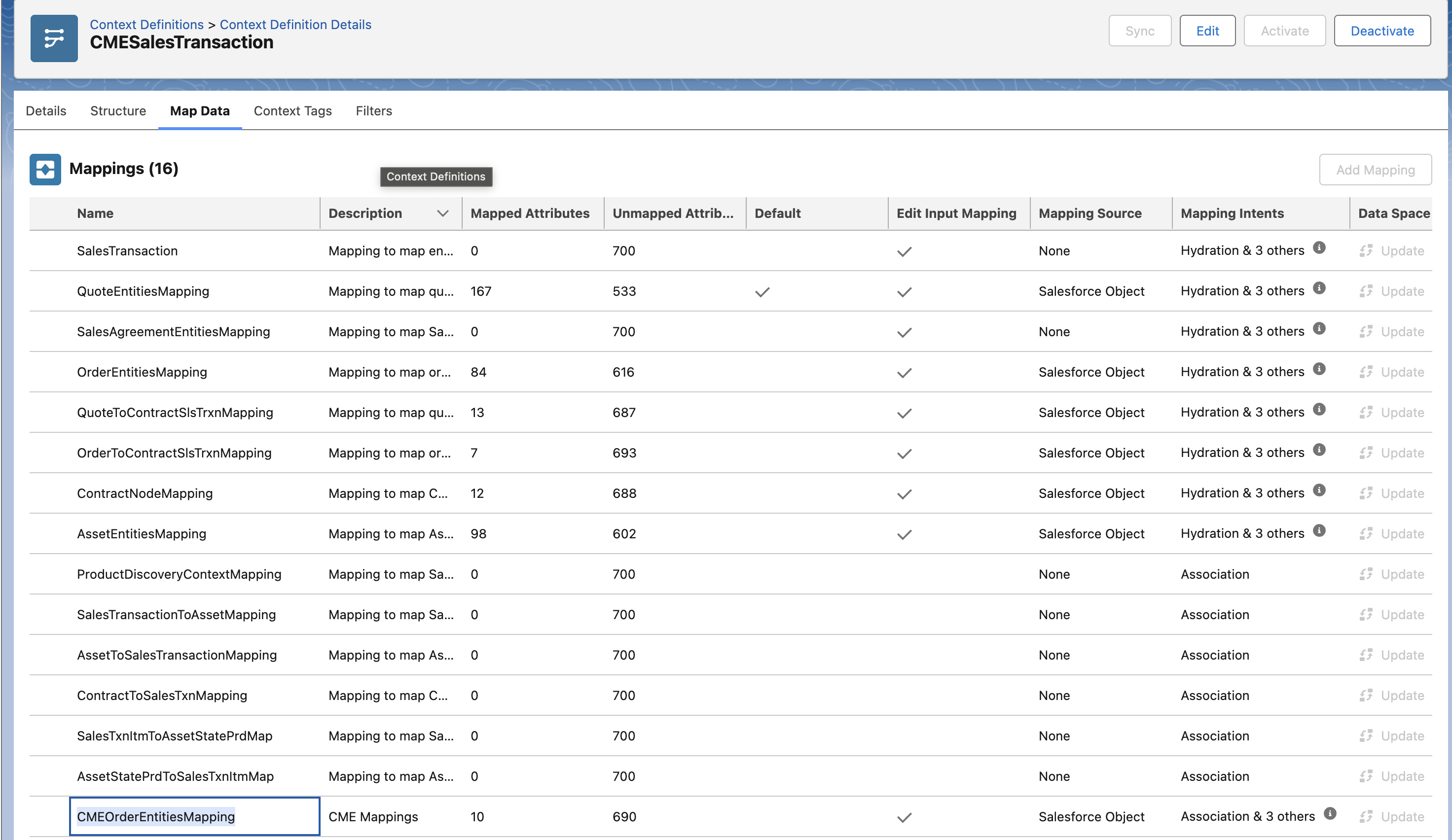
- Activate Context Definition before moving to the next steps.
-
Steps to set up Sales Transaction Context for DRO:
- From the Setup, search and find Dynamic Revenue Orchestrator.
-
Go to Context Definition Settings and update the fields as shown here: