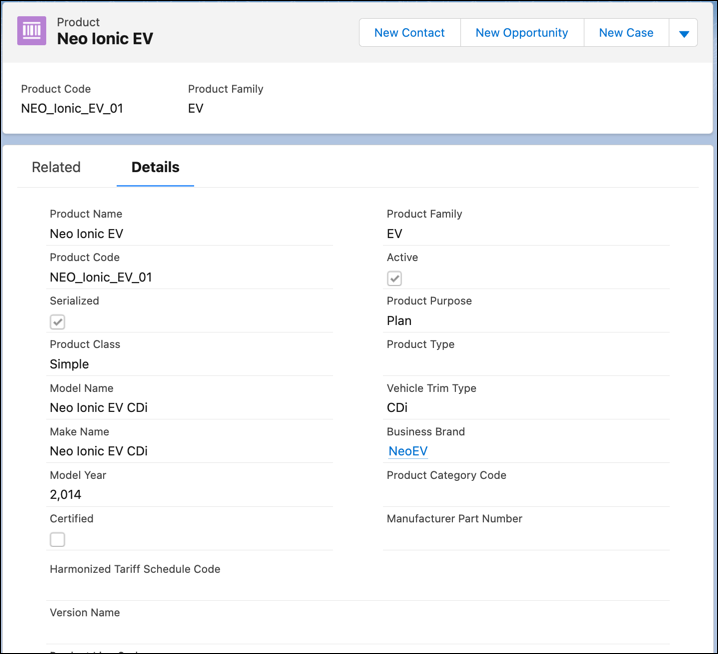
Specify the make and model details of vehicles with Product records. Use Automotive Cloud to track the key details of a vehicle’s make, model, trim, version, and brand.
Required Editions
| Available in: Enterprise, Unlimited, and Developer Editions. |
| User Permissions Needed | |
|---|---|
| To create Products: | Automotive Foundation User permission set |
Make sure your admin has added the relevant fields to the Product page layout that’s assigned to you.
- From the App Launcher, find and select Products.
- Click New.
- Enter a name for the product.
- Select the business brand associated with the vehicle.
- Enter the make name of the vehicle. For example, Neo Civic.
- Enter the model name of the vehicle. For example, Neo Civic CD4.
- Enter the trim levels supported by the vehicle model. For example, DX, GT, LS.
- Enter the version name associated with the vehicle model. For example, Limited Edition, Special Edition.
- Enter the year when the model was launched. For example, 2021.
- Enter the other details as required, and save your changes.