Sometimes leads prefer to purchase from the most closely located dealer or a dealer that
they previously negotiated with. And often, automotive companies use lead providers or digital
marketing agencies to source high-quality leads. You can capture such key information by creating
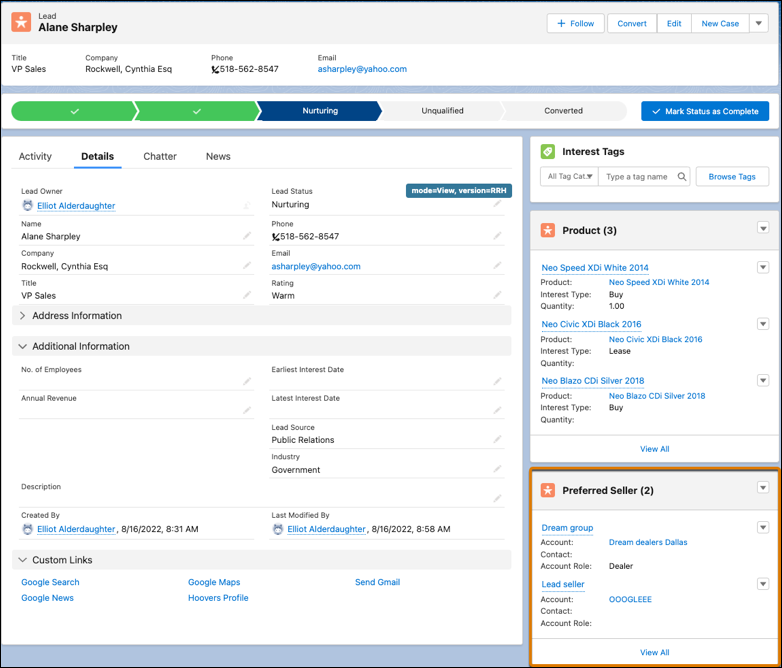
Lead Preferred Seller records and relating them with Lead records. A Lead Preferred Seller record
forms two lead relations: relation of a dealer to a lead and relation of a lead provider to a
lead.
Required Editions
| Available in: Enterprise, Unlimited, and Developer
Editions. |
| User Permissions Needed |
| To create lead preferred sellers: |
Partner Lead Management permission set |
Make sure that the Preferred Sellers related list is added to the Lead page layout.
-
From the App Launcher, find and select Leads.
-
Select the required lead record.
-
In the Preferred Sellers related list, click New.
Depending on how your admin configures the Lead page layout, you can access the Preferred
Sellers related list as a card on the page layout or from the Related tab.
-
Enter a name for the preferred seller.
-
Search for and select the account of the preferred seller.
-
Search for and select the contact of the preferred seller, if applicable.
-
In the Account Role field, select Dealer or Lead
Provider.
-
Save your changes.
When you convert the lead to an opportunity, the lead preferred sellers automatically get
converted to opportunity preferred sellers if the required configurations are
defined.
