Create Catalogs and Categories in Automotive Cloud

Use catalogs and categories to organize and classify the products you sell. While catalogs help you classify products at a higher level, you can associate multiple categories with a single catalog. For example, you can create catalogs such as Traditional Cars, Spare Parts, or Premium Vehicle Accessories. The Premium Vehicle Accessories catalog can have multiple categories such as Heated Seats, Phone Mounts, and Bluetooth Transmitters.
Required Editions

Available in: Enterprise, Unlimited, and Developer Editions.
User Permissions Needed
To create catalogs and categories: Automotive Foundation User permission set
  1. From App Launcher, find and select Catalogs.
  2. Click New.
  3. Enter a name.
  4. Save your changes.
  5. From App Launcher, find and select Categories.
  6. Click New.
  7. Enter a name.
  8. Search for, and select the Catalog record you created.
  9. Save your changes.

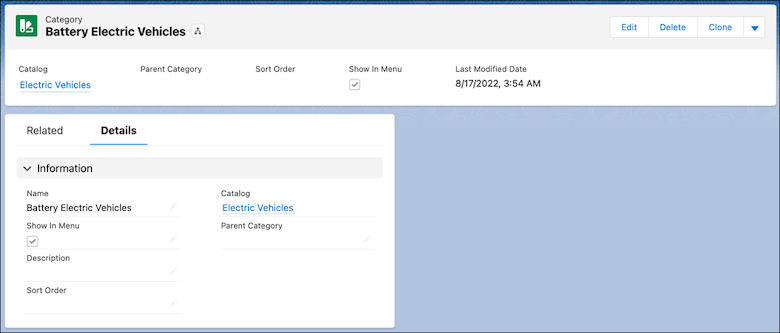
A product category record with an associated catalog.