An original equipment manufacturer (OEM) can have multiple product offerings associated
with different customer-facing brands. Typically, brands are used to capture the customer’s
interest and provide key differentiators for the various types of vehicles and accessories sold by
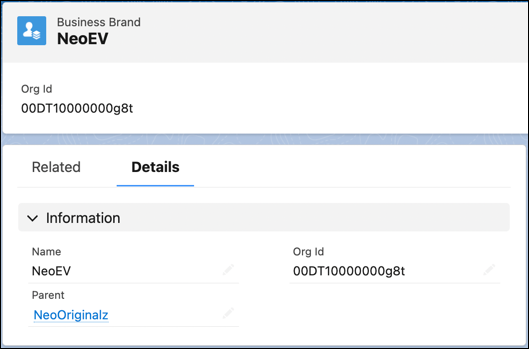
an automotive company. Create Business Brand records to capture brand information. You can also
create a parent brand and associate multiple brands with it.
Required Editions
| Available in: Enterprise, Unlimited, and Developer
Editions. |
| User Permissions Needed |
| To create business brands: |
Automotive Foundation User permission set |
To view the Business Brand object in the App Launcher, make the data protection
details available in the records. See Make Data
Protection Details Available in Records.
-
From the App Launcher, find and select Business Brands.
-
Enter a name.
-
Enter an Org ID that helps you identify the brand internally.
-
Search for and select a parent brand.
-
Click Save & New, and create similar records for multiple
brands.
When you create Product records, you can specify the Business Brand for those records. If
your admin sets up sharing rules, you can selectively share brand-specific product information
with specific stakeholder groups such as dealers and customers.

