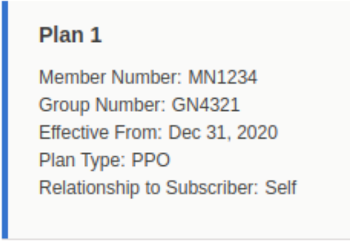
Make it easy for your call center agents to verify patient benefits by adding the
Benefits Verification component to a Lightning page such as the patient record page.
Required Editions
|
Available in: Lightning Experience
Available in: Enterprise and Unlimited Editions with Health Cloud
or Life Sciences Cloud
|
| User Permissions Needed |
| To modify record pages: |
Customize Application |
-
On any Account or Case page, click the gear icon and select Edit
page.
-
In the editor, drag Benefits Verification from the Components panel
and drop it on the page.
-
Save your changes and activate the page as needed.
The component shows data from the Member Plan object and includes a Verify Benefits button. It
also shows prior verification requests by date.