---
schema_version: "1"
id: bd1df7d8f41be22d3594f1dd111563a5f979cabcc19287b611764900e62511e7
title: Configure the Benefits Verification Component
collection: admin
version: current
locale: en-us
portal_url: https://docs.salesforce.com/admin/current/en-us/ind/264-0-0/admin_benefit_verification_console.md
canonical_url: https://help.salesforce.com/s/articleView?id=ind.admin_benefit_verification_console.htm&release=264.0.0&type=5
source_site: help.salesforce.com
content_type: documentation
content_hash: 8363e1f5266092e0318dfc5d4413ec402e3df52d77803f8f90b4fe6548459dfd
description: Make it easy for your call center agents to verify patient benefits by adding the Benefits Verification component to a Lightning page such as the patient record page.
products:
- Health
release: "264"
---
# Configure the Benefits Verification Component
Make it easy for your call center agents to verify patient benefits by adding the Benefits Verification component to a Lightning page such as the patient record page.
### Required Editions
Available in: Lightning Experience
Available in: Enterprise and Unlimited Editions with Health Cloud
or Life Sciences Cloud
User Permissions Needed
To modify record pages:
Customize Application
1. On any Account or Case page, click the gear icon and select **Edit page**.
2. In the editor, drag **Benefits Verification** from the Components panel and drop it on the page.
3. Save your changes and activate the page as needed.
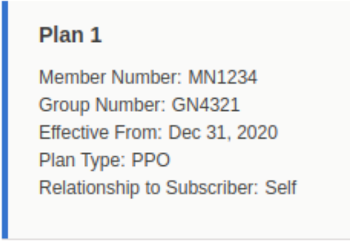
The component shows data from the Member Plan object and includes a Verify Benefits button. It also shows prior verification requests by date.