Specify the Default Price Book for Account Manager Targets

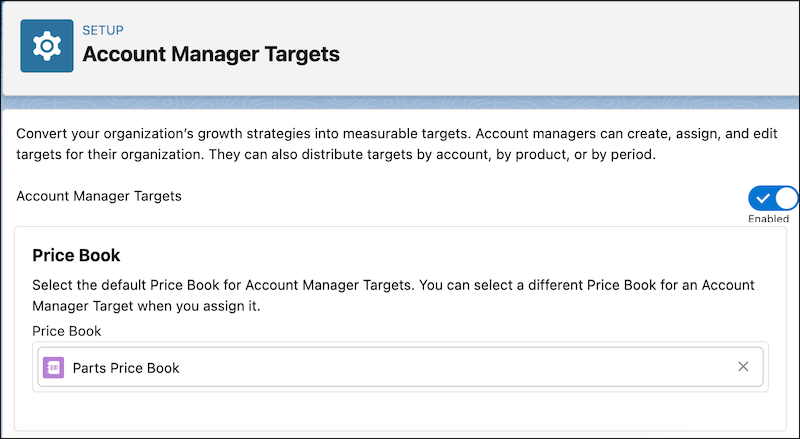
Specify the default price book for the account manager targets that are distributed by product. The selected price book is populated by default in all the target distributions when account managers distribute a target by product. By selecting a default price book, account managers don’t need to manually select a price book for each target distribution. Account managers can replace the default price book with another one in a target distribution.
Required Editions

Available in: Enterprise, Unlimited, and Developer Editions
User Permissions Needed
To select the default price book for account manager targets: Customize Application
  1. From Setup, in the Quick Find box, enter Account Manager Targets in the Quick Find box, and then select Account Manager Targets.
  2. In the Price Book section, search for and select a price book.
    Select pricebook for products