Dimensions are qualitative attributes, such as product, region, customer segment,
business unit, and inventory location, that group forecast data. In Advanced Account
Forecasting, dimensions segment the forecasts that appear in the forecasts table. When you
configure a forecast set, you can select the dimensions to be used in forecast set. To choose
dimensions for a forecast set, first, you must define the source objects for the dimensions. For
example, you can define Category as the source object for the product category
dimension.
Required Editions
| Available in: Lightning Experience |
| Available in: Enterprise, Unlimited, and Developer
Editions |
| User Permissions
Needed |
| To modify forecast settings: |
Customize Application |
Ensure that your forecast fact object contains a field corresponding to the dimension you
create. See Manage Your Forecast Fact Object for Advanced Account Forecasting.
-
From Setup, in the Quick Find box, enter Advanced Account
Forecasting, and then select Advanced Account
Forecasting.
-
Go to the Dimensions tab.
-
Click New.
-
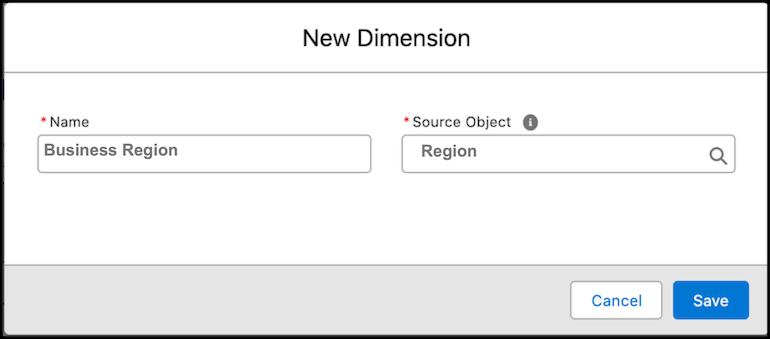
Specify a name and a source object for the dimension.
For example, create a dimension called Business Region with the source object as
Location.
-
Save your work.
You can use the dimension you created in a forecast set.