If your fiscal year follows a different structure from the Gregorian calendar, you can
define a custom fiscal year. You can calculate, roll over, and show forecasts based on custom
fiscal years. You must define a custom fiscal year if you want to use the weekly forecast
frequency.
Required Editions
| Available in: Lightning Experience |
| Available in: Enterprise, Unlimited, and Developer
Editions |
| User Permissions
Needed |
| To change fiscal year |
Customize Application |
-
From Setup, in the Quick Find box, enter Fiscal Year, and then
select Fiscal Year.
-
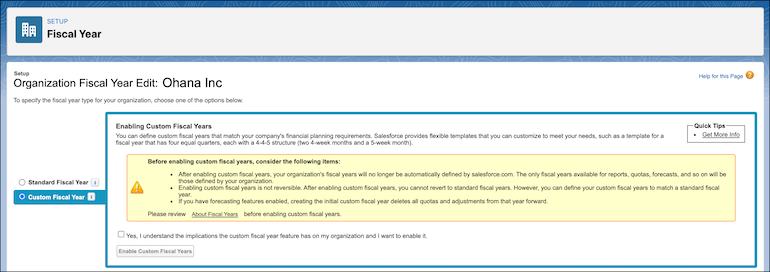
To create a custom fiscal year, select Custom Fiscal Years.
-
Select Yes to acknowledge the implications.
-
Click Enable Custom Fiscal Years, and define your fiscal
year.
-
Save your work.

