
The User Profile Tabs component lets users see their feed and cases on their profile. They can also post to their feed directly from their profile. When viewing another user’s profile, they see the user’s activity but not their cases.

Note Beginning in Summer ’26, Chatter is turned off by default in
all new orgs. For any features in these orgs that require access to Chatter functionality or
the Chatter APIs, turn on Chatter by going to and selecting Enable. For details, see Chatter Is Turned Off by Default in New
Orgs Beginning in Summer ’26.
On desktops and tablets, users see a list view of up to 25 of their most recent cases. They can sort columns in the list and click the case number to view the details of that case. Navigation arrows let them click through the list of cases when there are multiple pages. On mobile devices, the view is optimized and users scroll through a list of cases and select a case to see its details.
- Select the User Profile Tabs component in the page you're configuring.
-
In the property editor, configure the properties for the component:

Example Sample User Profile Tabs component: 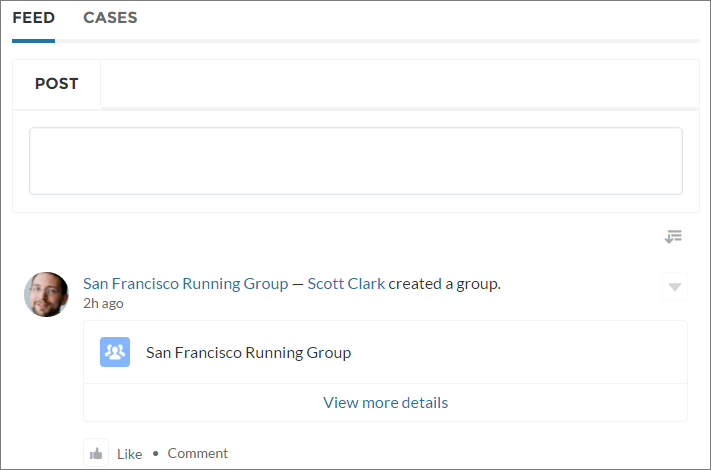
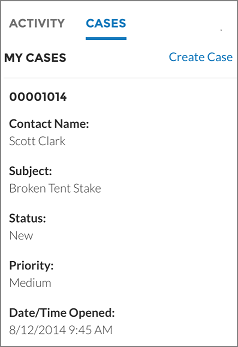
Case list viewed on a mobile device: