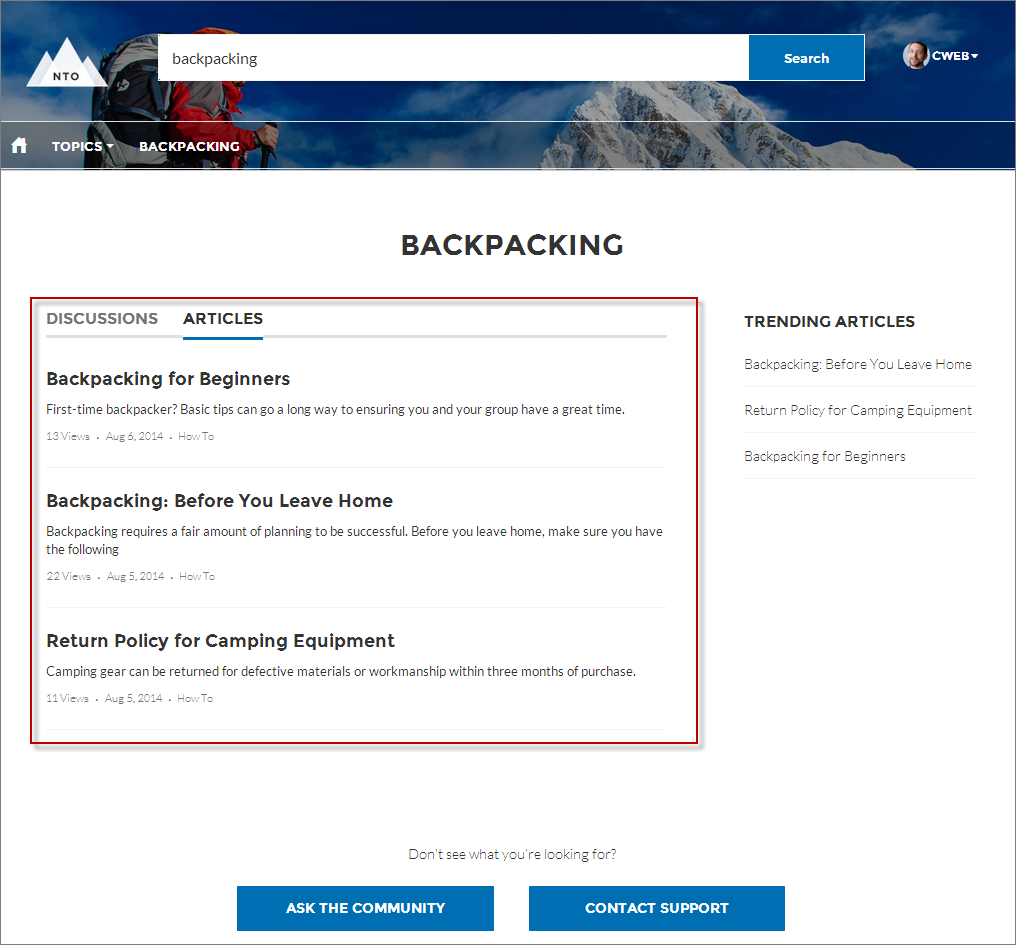
The Search Results component lets users view tabbed lists of articles and discussions. The articles and discussions are returned when a user selects a topic or types a string in the Search Publisher.
- Select the Search Results component in the page you’re configuring.
-
In the property editor, configure the properties
for the component.
Property Details Articles Tab Label Enter the text that appears on the tab that users select to view the list of returned articles. The default text is Articles. Discussions Tab Label Enter the text that appears on the tab that users can select to view the list of returned discussions. The default text is Discussions. Topic ID The expression in the Topic ID field uses the topic ID that the user selects when filtering by topic. Search Term The expression returns results based on the text users enter when typing their search queries. Active Tab Specify which tab you want to appear as selected with its contents exposed, when the page loads. The expression retrieves the parameter from the query string in the URL for the page. Type articles to display the article search results first or discussions to display the contents of the discussion search results first. Number of Articles Enter the maximum number of articles to show in the component. Show Article Tab Select this checkbox if you have Salesforce Knowledge enabled and want site members to search for and view articles. Default Sort Order for Feed The default sort order for the feed on the Discussions tab. Presents site members and guests with the initial experience that you intend. If users change the sort order in their view, their selection sticks. Show a streamlined question feed on the Discussions tab Select to show a compact feed on a search results Discussions tab.  Important For articles to show up in the Search Results component, they must be associated with a topic. Moreover, the site language and article language must match.

Example Sample Search Results component: