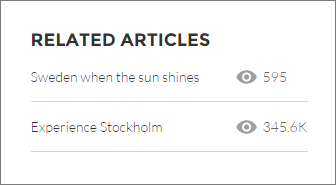
The Related Articles List component displays the articles related to the article the user is viewing.
In the Page Editor, you can configure the Related Articles List component on the Article Detail page.
The component can occasionally be empty. For example, if there aren't any articles related to the current article, or if the current article was published in the last 24 hours, no related items populate the component.
- Select the Related Articles List component.
-
In the property editor, configure the properties
for the component.
Property Details Number of Articles Enter the maximum number of articles to display in the list. You can display up to 10 articles. The default value is 5. Title Enter a title for the list of related articles. The default text is Related Articles. Show Views Select to show the number of times an article is viewed  . Clear to hide the
view count.
. Clear to hide the
view count.

Example Sample Related Articles List component: