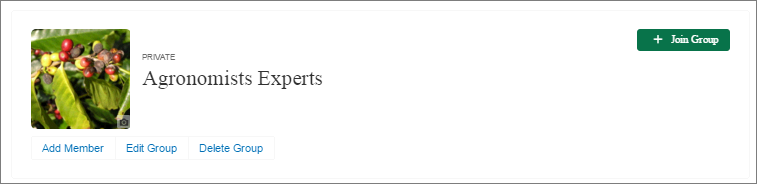
Use the Group Banner component on custom group detail pages for your site. This component displays the group name, the group photo, the Join Group and Leave Group buttons, and other action buttons for group owners, managers, and members.
Use the Group Banner component with the Group Detail, Group Related List, Feed Publisher, and the Feed or Feed Compact components to create a custom group detail page. Creating a custom group detail page does not guarantee optimal display and responsiveness across all desktop and mobile devices. We recommend using the Group component instead, which is a single composite component that displays all of this content.

Note
- Add the Add Member action to the group publisher for users to access it from the banner.
- For optimal display, choose a wide column width when using this component.
- Select the Group Banner component on the page you’re configuring.
-
In the property editor, configure the properties
for the component.
Property Details Group ID The ID of the group. This value is automatically populated when the group is displayed.

Example Sample Group Banner component: