
Question-to-Case lets moderators create cases from questions in Chatter, which makes it easier to track and resolve your customers’ issues. Question-to-Case is available in your Salesforce org and Salesforce mobile web, as well as in Aura and Salesforce Tabs + Visualforce sites where Chatter Questions is enabled.
Required Editions
| Available in: Salesforce Classic and Lightning Experience |
| Available in: Enterprise, Performance, Unlimited, and Developer Editions |
| Applies to: Aura and Visualforce sites |

When a customer uses the Question action in Chatter to ask a question, similar questions and Knowledge articles appear below the Chatter publisher. If the similar questions and articles don’t address the issue, the customer posts the question.
If a question isn’t resolved, you can escalate the question to a case. Users with the Moderate Chatter or Moderate Experiences Feeds user permission can create cases from questions directly in the feed, or you can set up flows in Flow Builder to automatically create cases from questions that meet specified criteria. Cases from questions are added to a queue so support agents can claim them.
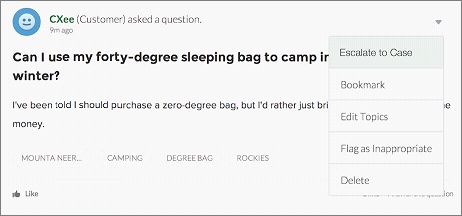
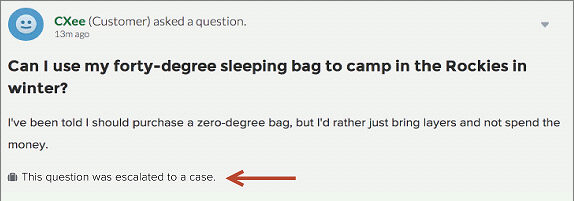
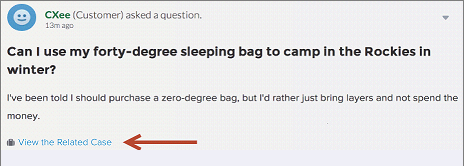
When a customer’s question is turned into a case, the customer receives an email with the case number and a link to the case. The customer can view the case via a link on the question that’s visible only to them, while moderators see a note on the question indicating that a case was created.
Moderator Flag
Customer Flag
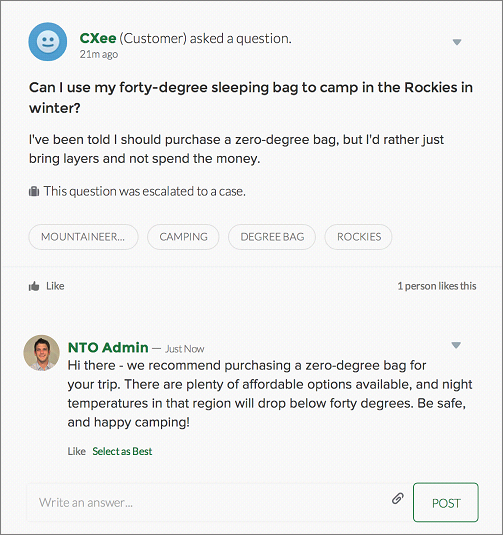
When agents find a solution, they can respond to questions directly from the console, and the customer sees the agent’s response on the question or in the My Cases view. Agents choose whether the reply is visible to the Experience Cloud site, or only to the customer who asked the question.
- Enable Question-to-Case
Enable Question-to-Case in your Experience Cloud sites, Salesforce org, or both.