To make public site pages more discoverable by AI-powered search engines and enhance the
precision of generated answers, enable generative engine optimization (GEO) in Experience Builder.
When you enable GEO, AI bots can request content snapshots of your site’s pages to generate
answers more effectively.
Required Editions
| Available in: Salesforce Classic and Lightning Experience |
| Available in: Enterprise, Performance, and Unlimited Editions.
This feature isn’t supported in Government Cloud. |
| Applies to: LWR and Aura
sites |
| User Permissions
Needed |
| To customize or publish an Experience Cloud site: |
- Create and Set Up Experiences AND View Setup and Configuration AND be a member
of the site
OR
- View Setup and Configuration AND be a member of the site AND have appropriate
role-based site access
|
-
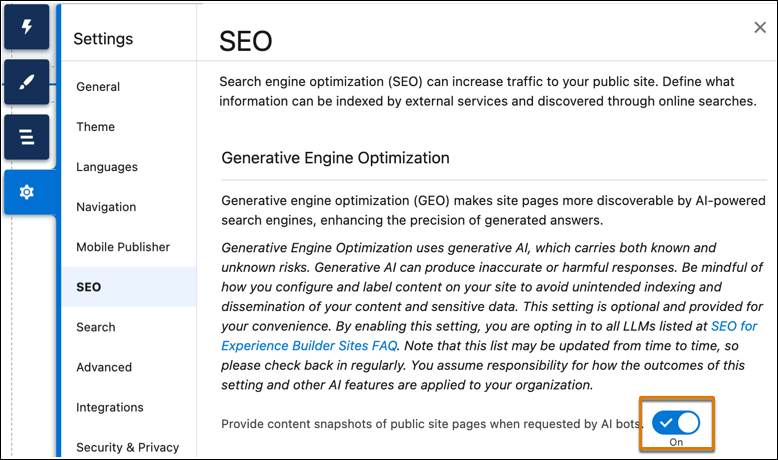
In Experience Builder, open the SEO tab in Settings.
-
Enable Provide content snapshots of public site pages when requested by AI
bots.
-
Publish your site to make your changes live.
After you publish the site, it can provide content snapshots of public site pages when
requested by AI bots.

