
Channel account managers can measure partner users’ performances and establish benchmarks for their channel programs using partner scorecards. You can customize partner scorecards to display any report summary results that your channel account manager or executive team wants to see. Add multiple scorecards to track more than one category. Partner scorecards are available in Lightning Bolt Solutions.
Required Editions
| Available in: Enterprise, Performance, Unlimited, and Developer Editions |
| User Permissions Needed | |
|---|---|
| To manage scorecards: |
Create, Edit, and Delete on Accounts AND Create, Edit, and Delete on Reports AND Create, Edit, and Delete on Scorecards |
| To view scorecards: |
Read on Accounts AND Read on Reports AND Read on Scorecards |
| To view scorecard metrics: | Run Reports |
Partner scorecards are only available with Partner Community licenses. If you don’t have access to scorecards, contact Salesforce Customer Support to enable Manage Scorecards in your org.
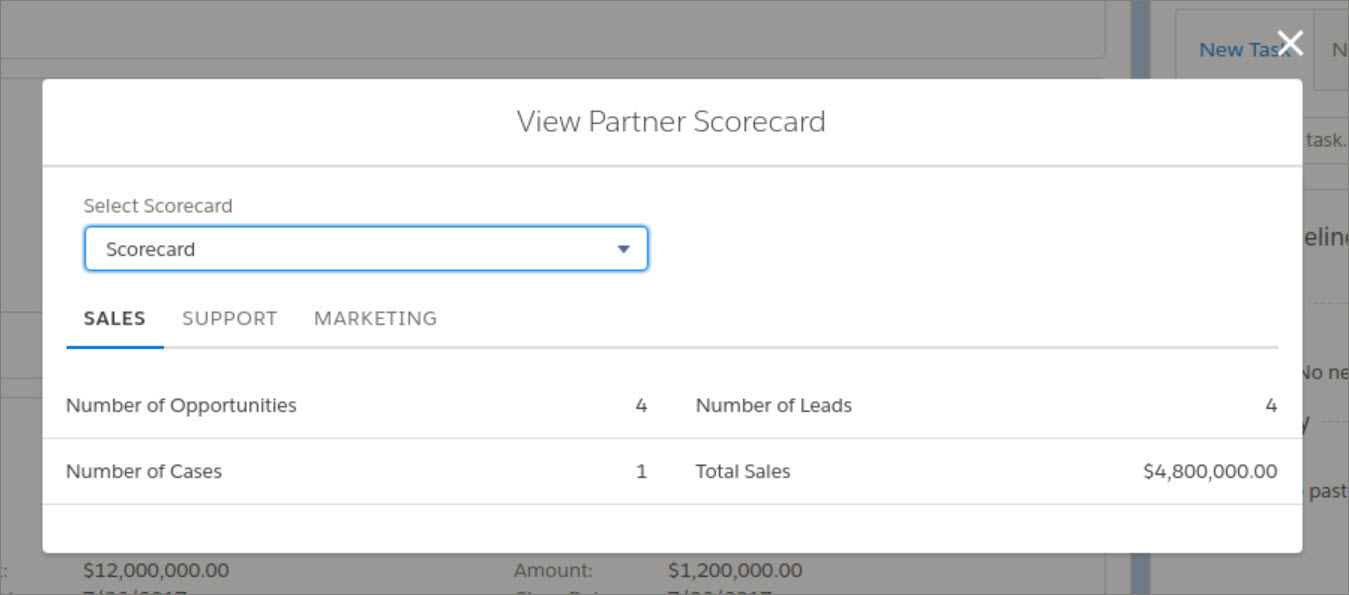
Add the “View scorecard” action to the account layout to display the scorecard directly on the account. Each scorecard displays admin-defined metrics that monitor partner performance. You can organize metrics into different categories, such as sales, marketing, and support. When you select the category you want each metric to belong to, the metrics sort into different tabs on your scorecard. Scorecards are built on top of Salesforce reports.
- Go to Scorecards, and click New.
- From Setup, enter Scorecard Metric and select Fields, to enter categories that you need and are not already included.
- Go back to your scorecard and add metrics to it. Assign metrics to categories if you want to group them by KPIs.
- Associate your scorecard with a program, level, or partner account. Once you’ve associated your scorecard with a program, level, or partner account, you can view the scorecard from that account. If you’ve organize different scorecards into tabs, you can click the tab to see the scorecard metrics associated with that category.


See Configure Reports for Partner Scorecard for more information about setting up metrics for scorecards.