When you cache Apex methods on the Salesforce content delivery network (CDN), you
improve performance of your LWR site, and your customers benefit from faster page load
times. Only public data from Apex methods is intended to be cached, and it’s only cached for
guest users. Apex caching controls differ depending on the type of Apex methods in your
site.
Required Editions
| Available in: both Salesforce Classic and Lightning
Experience |
| Available in: Enterprise, Performance, and
Unlimited Editions. Also available with Marketing Cloud
Account Engagement (Pardot) in Professional Edition.
|
| Applies to: LWR, Aura, and Visualforce sites |
For Apex methods that you own, enable caching by using caching annotation. Annotate your
Apex methods with @AuraEnabled(cacheable=true scope=’global’). And use @wire (LWC) to
invoke publicly cacheable Apex actions. To avoid caching private data, annotate only
Apex methods that return public data. Learn more about caching annotation in our
developer guides.
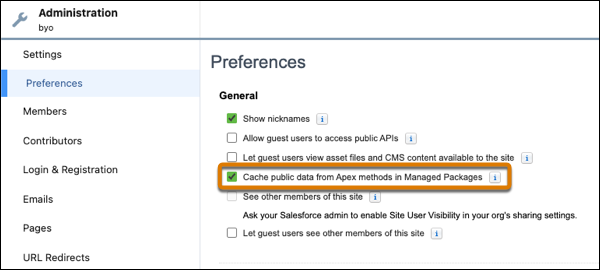
If your site uses managed packages, caching data from Apex methods in those packages is
enabled by default. To disable it, deselect Cache public data from Apex
methods in Managed Packages in Workspaces | Administration |
Preferences.
Salesforce controls caching of Apex methods used on standard pages and components, and
caches it where appropriate.