
Set up CRM search capabilities through LWR components. Search results can be shown only on a standard Search page, so to use the Results Layout component, you must first create the search page.
-
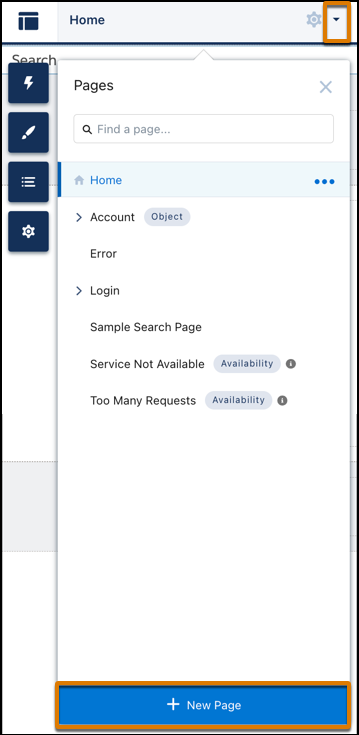
In Experience Builder, click the Pages menu on the top toolbar, and then click
New Page at the bottom of the menu.
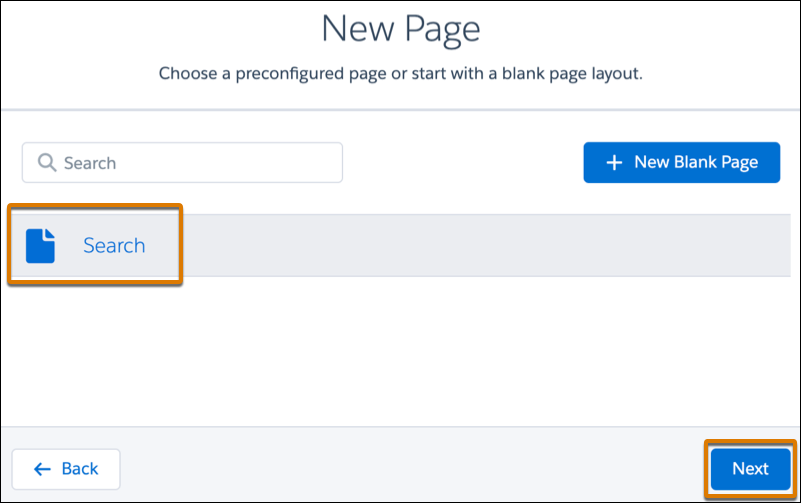
- From the New Page dialog, select the Standard Page type.
-
Select the preconfigured Search page and then click
Next.
- Enter a name and URL for the page, and then click Create.