Assign topics to Salesforce CMS content so that it’s easier to organize and display on
your Aura site. Topics help you organize your Salesforce CMS content in the same way that they
help you manage your Experience Cloud site’s feeds.
Required Editions
| Available in: Salesforce Classic and
Lightning Experience |
| Available in: Enterprise, Performance, Unlimited, and
Developer Editions
|
| Applies to: Aura sites |
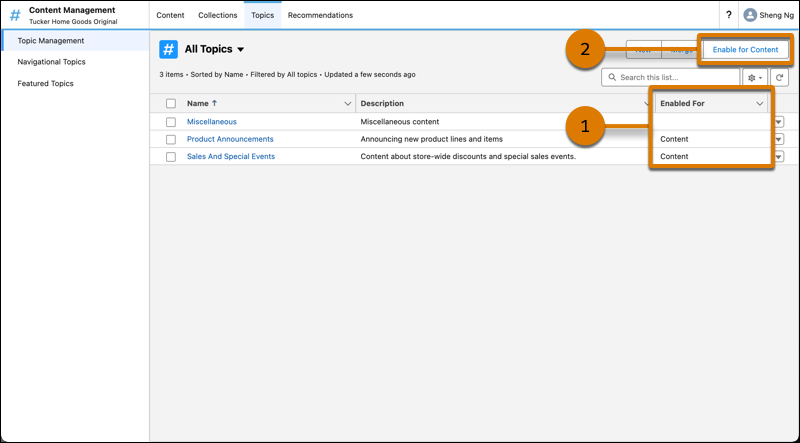
In the Topics tab of your Content Management workspace, create and manage topics for your Aura
site. When you’re creating topics, ensure that they’re enabled for content (1). If they’re not
enabled, select the topic, and click Enable for Content (2).
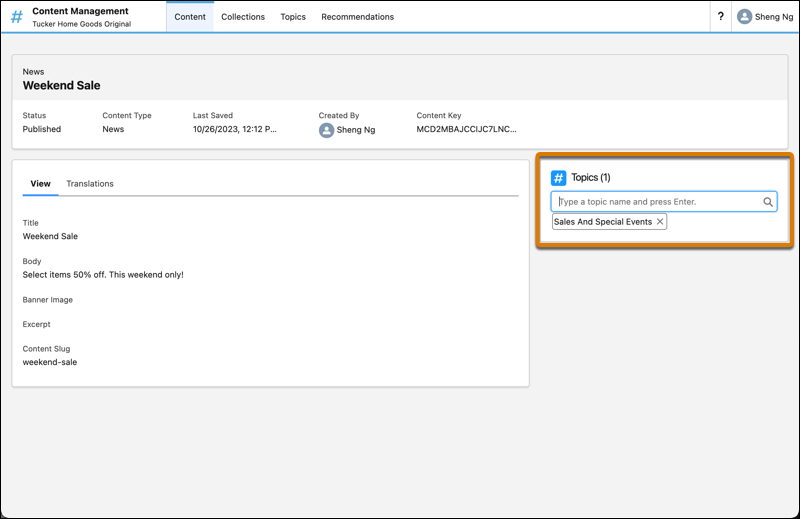
To assign a topic to a piece of CMS content, select a piece of content from the Content tab,
and assign a topic name.