Prebuilt themes come with every template. They let you style your site with clicks, not
code. Apply color, fonts, and images to your site to match your design or brand. Match your
colors precisely by uploading your own logo to generate a custom color scheme. Create branding
sets to change colors, fonts, and logos quickly for different audiences and needs.
Required Editions
| Available in: Salesforce Classic
and Lightning Experience |
| Available in: Enterprise, Performance, Unlimited, and
Developer Editions
|
| Applies to: Aura sites |
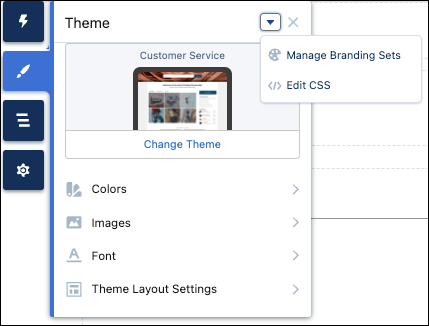
Prebuilt themes give you a head start with your site that you can customize further. After
you create a site and select your theme, use Experience Builder’s Theme panel to adjust the
experience.
To select a theme, click Change Theme.
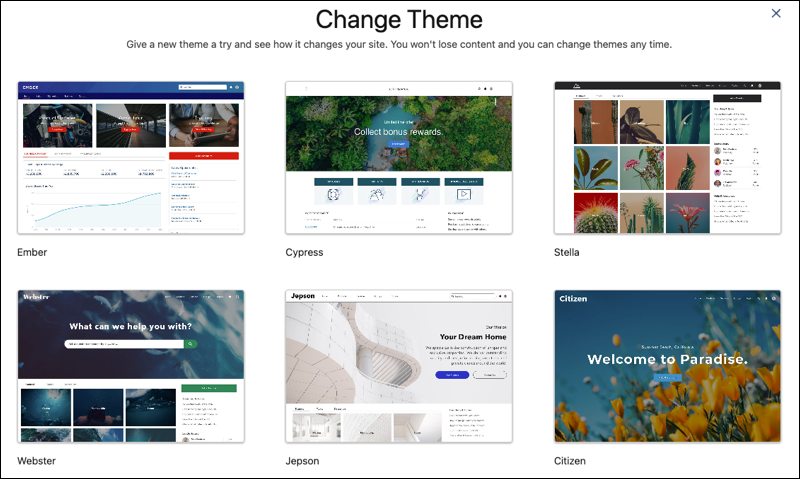
Depending on the theme that you select, you can use Experience Builder for various tasks.
- Choose colors for text, actions, links, navigation, and borders.
- Specify font family, style, weight, and case, and add a custom font.
- Change header and page background color.
- Choose a custom Search component.
- Choose a custom User Profile component.
- Use custom CSS to apply your own styles.
- Generate a custom color scheme from an image of your logo or company pallet.
- Use a branding set to quickly target different audiences and needs.