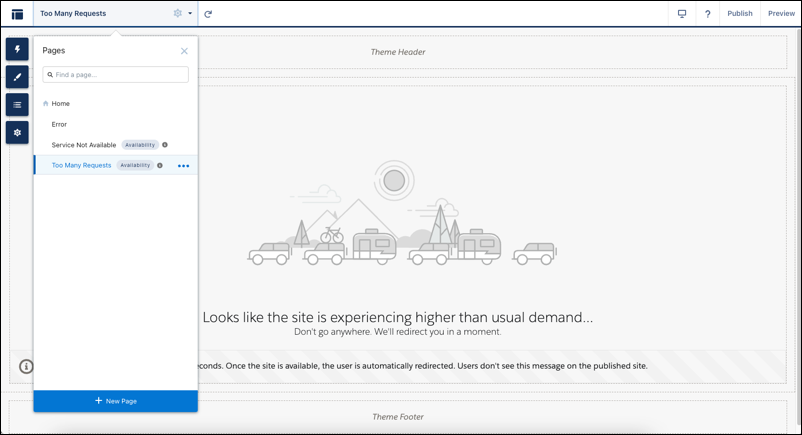
When your site’s performance is impacted by high traffic, the Too Many Requests page
displays a customizable message to let customers know they’ll be redirected momentarily. The
page automatically refreshes to check when the site is working and redirects customers to the
site when it’s available.
Required Editions
| Available in: Salesforce Classic
and Lightning Experience |
| Available in: Enterprise, Performance, and Unlimited
Editions |
| Applies to: LWR and Aura sites |
This feature is available for most sites that use Salesforce’s CDN for Digital Experiences.
The Salesforce CDN is enabled by default for sites that use enhanced domains. You can also
configure custom domains to use the Salesforce CDN option.
The Too Many Requests page shares a theme layout with the Service Not Available page. Use the
HTML Editor and Rich Content Editor components to customize the page.
The Page Refresh component automatically refreshes the page for your customers. This
component is built into the page by default.